1
Using the DP600
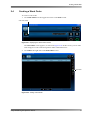
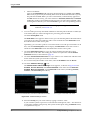
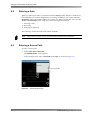
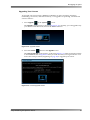
After you add a work order, it appears in the work orders screen (when you select work
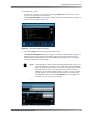
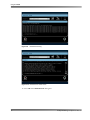
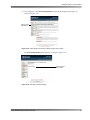
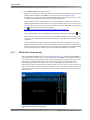
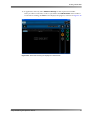
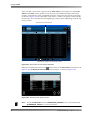
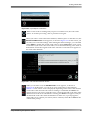
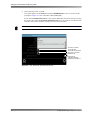
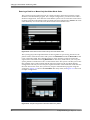
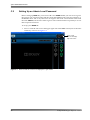
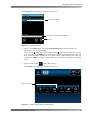
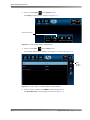
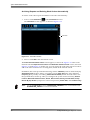
orders in the home screen). In this screen, the work order database displays the names, profiles, creation dates, status, scheduled start times, and source files for all work orders, as shown in Figure 2‐43. For hot folder work orders, a folder icon appears on the left side of each entry. To reverse the list from beginning to end (or end to beginning), click the top of any column. Figure 2-43
Click in column to reverse list
Click here to configure workorder filter criteria
Figure 2-43 Work Orders Screen Displays Database
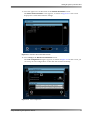
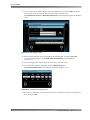
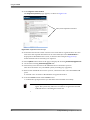
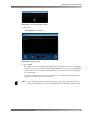
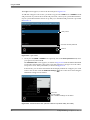
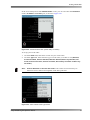
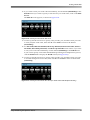
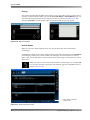
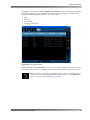
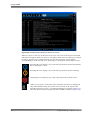
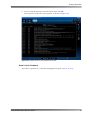
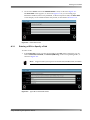
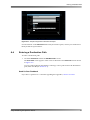
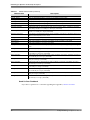
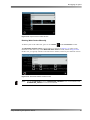
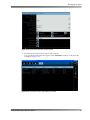
When you click the filter criteria icon at the bottom of the work orders screen (shown in Figure 2‐42), the Workorder Filter Criteria options appear, as shown in Figure 2‐44. Figure 2-44
Figure 2-44 Workorder Filter Criteria Screen
Note:
40
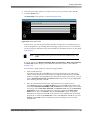
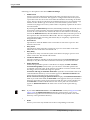
For the Include Status criteria, QUARANTINE_FINISHED is for corrected files and QUARANTINE_FAILED is for uncorrected files.
Dolby® DP600 Program Optimizer Manual