1
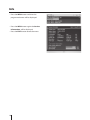
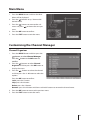
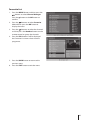
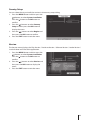
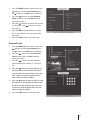
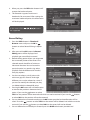
1. Press the MENU button and then press the
buttons to select User Settings. Press
the button or the OK button to confirm.
2. Press the
buttons to select Wakeup
Timer and then press the OK button to
display the menu.
3. Press the
buttons to choose the options
and then press the
buttons to adjust
the settings.
4. Press the OK button to confirm and then
the "Successfully Saved" message will be
displayed.
5. Press the EXIT button to exit the menu.
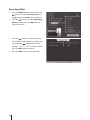
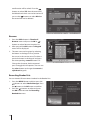
Parental Lock
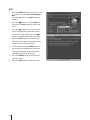
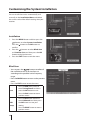
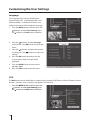
1. Press the MENU button and then press the
buttons to select User Settings. Press
the button or the OK button to confirm.
2. Press the
buttons to select Parental
Lock and then press the OK button to
display the menu.
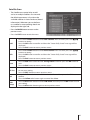
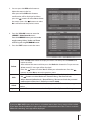
3. Press the
buttons to select different
Parental Rating from None / G / PGR and
AO.
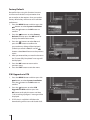
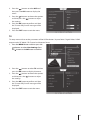
4. Press the
button to select Old PIN, use
the 0-9 buttons on the remote control to
input the old password and then input the
new 4-digit password to replace then reenter new password to confirm.
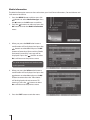
5. Press the button to select Old PIN, use the
0-9 buttons on the remote control to input
the old password and then input the new
4-digit password to replace then re-enter
new password to confirm.
6. Press the EXIT button to exit the menu.
33