1
Interfacing RNS
35
Connecting to Ockam Instruments
RNS connects to Ockam instruments via the Ockam Model 050D RS-232 Interface (not
supplied). You must also set two switches on the Ockam unit.
You can connect RNS using any Ockam RS-232 interface, however for optimum
reliability of data transfer the Model 050D is recommended.
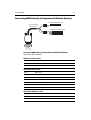
To connect to a Model 050D RS-232 interface:
1. On the interface, set switch S1 to 4.
2. Set switch S2 to D.
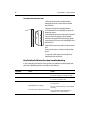
3. Connect the cables as follows:
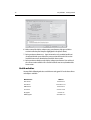
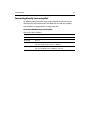
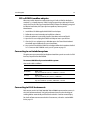
Cable color
Ockam 050D pin
Yellow (Rx)
Pin 4
Black (SGnd)
Not used
Green (Tx)
Pin 2
Black (SGnd)
Pin1
Connecting a USB C-Card Reader
This section describes connecting a USB C-Card reader to your PC system.
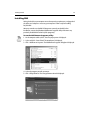
To install a USB C-Card reader to your PC:
1. Plug your C-Map USB C-Card reader into your computer.
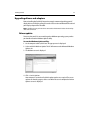
2. Click Start on the computer taskbar. The pop-up menu is displayed.
3. Click Control Panel. The control panel is displayed.
D6979_1
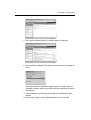
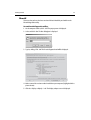
4. Click Add/Remove Hardware. The Add/Remove Hardware wizard is displayed.
5. Click Next. Follow the on-screen instructions.