1
PRINTER’S INSTRUCTIONS:
INSTR,INSTL,FINISH-OUT,MC960 - LINEAR P/N: 115851 B - INK: BLACK - MATERIAL: 20 LB. MEAD BOND - SIZE: FLAT: 17.000” X 11.000”, FOLDED 8.500” X 11.000” - SCALE: 1-1 - FOLDING: 1-FOLD VERTICAL - SIDE 2 OF 2
DOs & DONT's
☛ USE ONLY M&S SYSTEMS BRAND CABLE as called out in these instructions. The cable is designed and
constructed with electrical specifications necessary for proper audio performance. IMPORTANT: THE USE OF NON M&S
SYSTEMS’ BRAND CABLE OR CABLE SUBSTITUTION WILL VOID PRODUCT WARRANTY. Note: All M&S Systems’ cable has M&S
Systems and the part number printed on it!
☛ DO NOT power up master until all speakers and the amplifier are connected.
☛ DO ensure that all rough-in instructions have been followed before power is applied to system.
☛ DO NOT SPLICE CABLES. Splices are unreliable and defeat the signal isolation properties of the cable.
☛ DO NOT COIL OR BUNDLE the MS4X cable. This will cause electronic feedback.
☛ If extra cables have been run for possible future speaker additions, care must be taken that these cables do not get
connected to the control panel or amplifier unit. Unterminated cables may damage the control panel or amplifier.
☛ DO NOT over-tighten the screws for the volume controls, speakers or the control panel to prevent cracking.
INSTALLATION PROCEDURE
At each cable end, strip approximately 4 Inches of jacket (MS5XSC and MS2SXSC)
from wires and separate colored wires from each other. Strip 1/2 Inch of insulation
from each wire as shown in figure 1. On the MS7XSC, strip 1/4 Inch of insulation from
each wire as shown in figure 2.
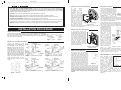
Figure 2
SATELLITE VOLUME CONTROLS
Connect the shield wire from
outside shield of the MS5XSC to
the MS2SXSC shield wires. DO
NOT connect the shield wire for the
brown/gray pair at this end of the
cable! Wire nut each colored wire
to its respective wire as shown in
figures 3-6 for the volume control
to be used. Connect the BLUE and
VIOLET wires to the corresponding
terminals of the satellite speaker(s).
Mount the volume control to the
single gang box using the two
screws provided with the volume
control.
Figure 7 - Mounting
CONTROL HOOKUP
At
each
speaker
location,
strip
approximately 4 Inches
of
jacket
from
the
MS2SXSC cables and
separate the colored
wires from each other.
Strip 1/2 Inch of insulation
from each wire. Connect
the MS2SXSC cable to the
speaker as shown in
figure 8. NOTE: The
bare drain wire from the
cable is not connected
and should be cut off.
Figure 8 - Ceiling satellite
On speakers equipped
speaker hookup
with RED and BLACK
terminals, connect the BLUE wire to the BLACK terminal and the
VIOLET wire to the RED terminal.
Locate the MS7X5SC cable from the
Control Panel (MC960CP). Connect
each of the 7 colored wires and shield
drain wire from the MS7XSC cable to
the 8 pin terminal block as shown in
Figure 11 figure 11. Plug the 8 pin connector into MS7XSC to
the
jack
labeled
PREAMP terminal block
INTERCONNECT.
Locate
the connection
MS7X5SC cable from the second
power amplifier (MC960PA), if used. Connect each of the 7 colored
wires and shield drain wire from the MS7XSC cable to the 8 pin
terminal block as shown in figure 11. Plug the 8 pin connector into
the jack labeled TO SECOND AMP.
SATELLITE WALL SPEAKERS
WIRE PREPARATION
Figure 1 - typical
SATELLITE CEILING SPEAKERS
At each speaker location, strip
approximately 4 Inches of jacket from
the MS2SXSC cables and separate
the colored wires from each other.
Strip 1/2 Inch of insulation from each
wire. Connect the MS2SXSC cable
to the speaker as shown in figure 9.
Note: The bare drain wire from the
cable is not connected and should
be cut off. NOTE: On speakers
equipped with RED and BLACK
terminals, connect the BLUE wire to
the BLACK terminal and the VIOLET
wire to the RED terminal.
Figure 9 - Wall satellite
speaker hookup
REMOTE AMPLIFIER INSTALLATION
AMPLIFIER MOUNTING
Figure 3 - MVC96 hookup (mono)
Figure 4 - SVC96 hookup (stereo)
Figure 5 - MVC96RS hookup (mono)
Figure 6 - SVC96RS hookup (stereo)
The amplifier module will install on a
single vertical stud previously marked
during rough-in. The vertical height of the
amplifier will allow complete coverage
over the wall openings for the remote
volume controls and control panel wiring.
Mark the location of the top mounting
keyhole and bottom mounting holes. With
the amplifier removed verify the location
of the vertical stud by installing the
enclosed mounting screws at the marked
locations. Once the location of the stud
Figure 10
has been verified, remove the screws.
Remove the cover from the amplifier. While positioning the
amplifier (with cover removed) into position, bring the volume
control and preamp cabling through the holes provided. Secure the
amplifier to the wall in the marked locations with the screws provided.
FAILURE TO PROPERLY MOUNT THE AMPLIFIER MAY LEAD TO
AMPLIFIER DAMAGE AND/OR VOLUME CONTROL/PREAMP WIRING
DAMAGE.
Locate MS2SXSC cable from the Power Amp and connect the
BLUE and VIOLET wires to their respective terminals on the Power
Amp as shown in figure 12. Note: If additional Power Amps are
used, connect the shield drain wire of both the MS2SXSC cables
from the Control Panel and
the additional Power Amp
together using a wire nut.
Locate MS2SXSC cable
from the Control Panel
and connect the Blue &
Violet wires to their
respective
terminals
on the Power Amp as
shown in Figure 12.
Note: The bare shield
wire from the MS2SXSC
is not connected and
should be cut off, unless
additional Power Amps
are used. In this case,
connect the shield wire
going to the next Power
Amp, to the drain wire
from the Control Panel.
Figure 12 - Amplifier module hookup
Gather
all
volume
control cables (MS5XSC). Pigtail all shield drain wires (bare) from
the MS5XSC cables to the SHIELD terminal on the remote
amplifier. Then connect each of the color coded wires to its
respective terminals as shown in Figure 12.
STEREO/MONO CONFIGURATION
Each
MC960PA remote
amplifier is equipped with
a
stereo/mono
select
jumper.
All
MC960PA
amplifiers
are
shipped
from the factory with this
jumper in the STEREO
position. If an amplifier is
required to drive more than
10 monaural speakers, this
Figure 13 - Mono/Stereo
jumper must be set to the
jumper
MONO position. Setting
the jumper to the MONO position will cause monaural
output to all speakers whether they are connected via
stereo controls or mono controls. The jumper setting of
one MC960PA amplifier has no effect on other MC960PA
amplifiers.