1
Input Devices - Keyboards
A keyboard consists of a set of keys representing the alphabet and numbers. The keys are usually laid out in
QWERTY style which originates from typewriters.
How does it work?
The pressing of a key results in the generation, within the keyboard, of an 8-bit binary word, representing the
character on the pressed key. This binary pattern is usually in ASCII code. The ASCII code for the chosen
character is sent out from the keyboard using serial data transmission.
In serial data transmission, a data word is sent one bit at a time, with the whole word being made up of a time
sequence of 1's and 0's on a single line. This contrasts with the parallel data format used on the internal buses of a
processor where each bit of a word is present at the same time on its own line.
The interface needs to store the received character from the keyboard until the processor is ready to accept it.
Since a key can be pressed at any time, the processor could be busy
performing other functions at the instant when the character is ready in
the interface, and so the data must be stored there to await transfer to the
processor.
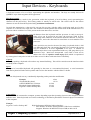
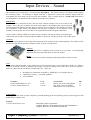
Some activities may involve the need for using a keyboard which is laid
out differently from the conventional keyboard. For example the layout
may be modified to be more ergonomic in its style. A number of
different styles have been experimented with to try and group the keys in
alternative ways. Most have incorporated some form of wrist rest to
address the issue of repetitive strain injury (RSI) which is experienced
by some typists. It may also be laid out to allow access for those with some form of disability.
Capacity
Generally speaking a keyboard will not have any internal buffering. This will be carried out at the interface which
is usually in the computer.
Speed
The speed of a modified keyboard will generally be the same as a conventional keyboard. A serial connection
from the keyboard will take each keystroke and feed it to the interface which will have a buffer.
Cost
The cost of keyboards can vary considerably depending on the particular modification.
Examples
i-Friend PS2 Keyboard
A4TECH RFKB-5CC Wireless
MicroSoft Natural Multimedia
Logitech Cordless Desktop MX
Cost
£2.50
£15.00
£31.85
£75.00
Compatibility
Keyboards can be connected to computer systems depending upon the Operating System of the computer and the
interface used. Some keyboards use wireless technology so that the keyboard does not need a physical connection
to the computer.
Example
Logitech Cordless Desktop MX
High Performance RF digital radio technology
PS2 interface for mouse and keyboard or USB for use with Macs
Supports Windows 98/ME/XP/NT4 (not USB) or Mac OS X
Higher Computing Systems - Peripherals
Produced by S Lambert, R Simpson and HSDU for City of Edinburgh Council, 2004
Infosheet 3.2