1
Input Devices - Pointers
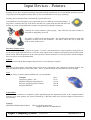
Pointing devices have become increasingly important with the introduction of GUI and WIMP operating systems.
Originally used with graphics packages they are now used with almost every type of package.
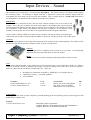
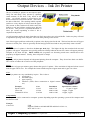
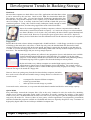
Pointing devices take the forms of trackerball, joystick and mouse.
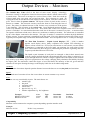
Trackerballs are used on laptops or by people who may have difficulty moving their fingers. A
large ball is rotated at the top of the device and the user’s palm turns the ball and hence the
pointer on screen. (Trackerballs have mostly been replaced by trackpads on laptops.)
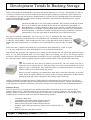
Joysticks are usually related to game playing. They offer the user quick reaction to
tasks that are happening on screen.
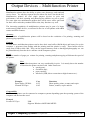
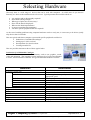
The mouse is still the most common pointer. It is still the main input device used with
computers at home and in the workplace. The mouse allows the user to point and
click on items on the screen.
How does a pointer work?
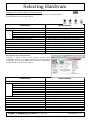
There are 2 different ways a pointer can operate. It can be a ball mechanism or optical operation using infra-red.
As the ball or light inside the mouse is moved it sends signals to the computer moving the position of the pointer
on the screen. When the pointer is in the correct position a button on the device can be pressed to tell the computer
that you wish to access that information.
Capacity
The mouse will feed the data straight to the processor so no buffering is required.
Speed
The speed of the pointer's movement on the screen can be controlled by the computer's Operating System. The
user can change the speed to suit his/her needs. This is a great advantage for those who have poor eyesight.
Cost
The cost of mice, joysticks and trackerballs can vary considerably.
Examples
Genius Easy Mouse - Pro
BELKEN USB/PS2 Optical Mouse
Keytools Upright Ergonomic Mouse
Keytools BIGTrack
Cost
£2.99
£15.00
£49.00
£55.00
Compatibility
Pointers can be connected to computer systems depending upon the Operating System of the computer and the
interface used. Some pointers use wireless technology so that the pointer does not need a physical connection to
the computer.
Example
BELKEN USB/PS2 Optical Mouse
USB 1.x and PS2 connections
Supports Windows 98/2000/ME/XP
Higher Computing Systems – Peripherals
Produced by S Lambert, R Simpson and HSDU for City of Edinburgh Council, 2004
Infosheet 3.3