1
ML Twin Controller Installation Guide
Inputs and outputs
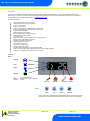
Selecting this menu option allows the user to view the inputs and outputs. Use the up/down button to select the desired input or output
and then press “Enter”. The value will be shown on the display. See View IO
Hub/Switch Type
Select the desired value for the type of communication module in use.
0 = Mercury Hub/Switch
1 = ML Hub/Switch
Case Off / Sec
If “Case Off” is selected the controller will enter “Case Off Mode” when the case lights schedule is in the off period. When case lights
schedule is in the on period the controller will follow its normal control operation. This feature is disabled if Temp Cut-In parameter P-01 is
set to 4.0 Degrees or lower.
Warning use with caution: - Case Off places the controller into a state whereby all outputs are off and alarms are inhibited e.g. no
temperature control will occur and no over temperature alarms will be created etc.
If “Sec” is selected the controller will operate to a secondary setpoint, using P-81 (Sec Cut-In), when the case lights schedule is in the off
period. When case lights schedule is in the on period the controller will operate to its normal Temperature set point (P-01).
This feature is disabled if Sec Cut-In parameter (P-81) is set to 4.0 Degrees or lower.
Note: The temperature alarm limits do not change so should be set accordingly.
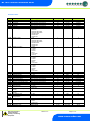
Monitor Probe
Off
Monitor
Monitor with Fault
Monitor with Alarm
Defrost
Plant N/O
Plant N/C
If selected probe is not used.
If selected, controller will monitor temperature but will not alarm out.
If selected, controller will monitor temperature and alarm out for probe fault but not over or under
temperature.
If selected, controller will monitor temperature and alarm out for probe faults and over and under
temperature alarms.
The selected probe will be used as a defrost termination probe (instead of Air Off probe).
If selected, controller will generate a Plant fault alarm when the probe input sees a short circuit.
If selected, controller will generate a Plant fault alarm when the probe input sees an open circuit
Trim Heater
Trims: If a relay is configured as Trims then the relay will pulse in accordance with P-11 or will be switched remotely by the Data Manager
Trim Control energy feature.
P-11 is used if Trim control is not configured in the Data Manager.
Trim Hub: If the relay is configured as Trim Hub then the relay is pulsed remotely by the ML/Mercury Switch (PR0109-PHI/PR0018-PHI)
Please see the ML/Mercury Switch user documents for further details.
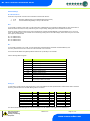
Units
Use this to select the temperature probe type.
0 = PT1000 (Deg C)
1 = PT1000 (Deg F)
2 = NTC2K (Deg C) (Default)
3 = NTC2K (Deg F)
4 = NTC2K25 (Deg C)
5 = NTC2K25 (Deg F)
6 = NTC10K (Deg C)
7 = NTC10K (Deg F)
Disp
Display setting: 0 = Decimal display (1 place)
1 = Integer Display
Type
The twin compressor controller has only one type so cannot be changed.
Warning
Ensure that all power is
switched off before
installing or maintaining
this product
Revision 2.2
Page 8 of 17
www.resourcedm.com
Please Note