1
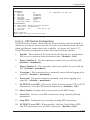
Configuration
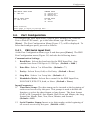
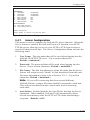
PBX IP PORT:
COMMUNICATION SETTINGS
1. Service:
On
2. Port Number:
9000
3. Window Size:
6
4. Keep Alive Send: 60 Secs
5. Keep Alive Resp: 60 Secs
6. SDM Resp:
30 Secs
MISCELLANEOUS
21. Disconnect
22. Last Status
INPUT PARAMETERS
11. Time/Date Stmp:
12. Serial No Stmp:
13. Strip Non-Prnt:
14. End Character:
15. Alarm Filter:
16. Store Alm Data:
17. Data Filter:
18. PBX Inact Alm:
Off
Off
On
^J
Off
Alarm
Off
Off
FIELD SUPPESSION
31. Lucent Switch
Enter selection,
Press <ESC> to return to previous menu ...
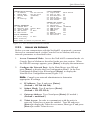
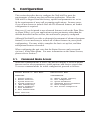
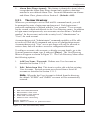
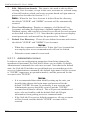
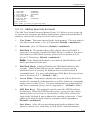
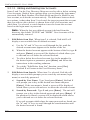
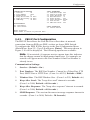
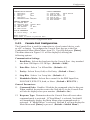
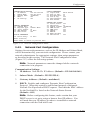
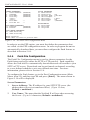
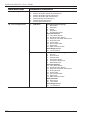
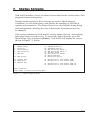
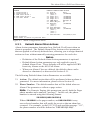
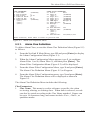
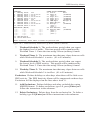
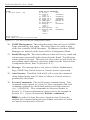
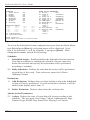
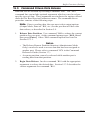
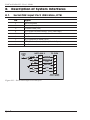
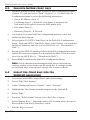
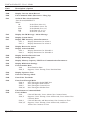
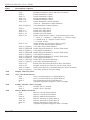
Figure 5.10: PBX IP Port Configuration Menu
5.4.2.
PBX IP Port Configuration
The PBX IP Port allows the NetLink II to collect data via network
connection, from an RSP type PBX, such as an Avaya PBX Switch.
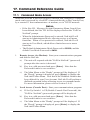
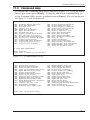
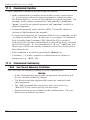
To configure the PBX IP Port, first go to the Port Configuration Menu
(Main Menu, Item 22.) Type 11 and press [Enter]. The menu shown in
Figure 5.10 will be displayed. The following options are available:
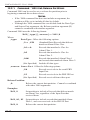
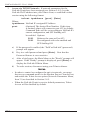
Note: If an asterisk (*) appears next to a menu item, this indicates
that the change cannot be implemented until later. For example, an
asterisk will appear next to the Port Number if that Port Number is
already in use.
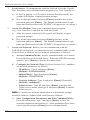
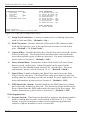
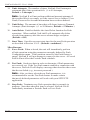
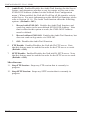
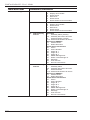
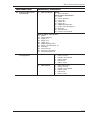
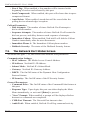
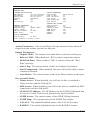
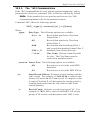
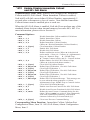
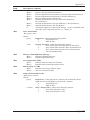
Communication Settings:
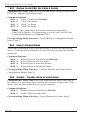
1. Service: (Default = On.)
2.
Port Number: The RSP Port Number. Cannot be a Telnet Port, FTP
Port, SMTP Port or HTTP Port. (From 1 to 65535; Default = 9000.)
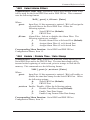
3.
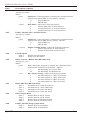
Window Size: The RSP Window Size. (From 1 to 255; Default = 6.)
4.
Keep Alive Send: The "keep alive send" timeout in seconds.
(From 1 to 3600; Default = 60 Seconds.)
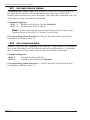
5.
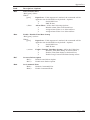
Keep Alive Response: The "keep alive response" timeout in seconds.
(From 1 to 3600; Default = 60 Seconds.)
6.
SDM Response: The session disconnect message response timeout in
seconds. (From 1 to 3600; Default = 30 Seconds.)
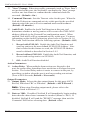
5-15