1
Configuration
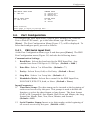
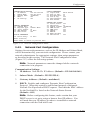
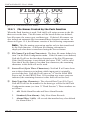
CONSOLE PORT:
COMMUNICATION SETTINGS
1. Baud Rate:
9600
2. Data Bits:
8
3. Parity:
None
4. Stop Bits:
1
5. Handshake Mode: RTS/CTS
GENERAL PARAMETERS
11. Command Echo:
12. Response Type:
13. “Sure” Prompt:
14. CMD Timeout:
15. Audit Trail:
On
Inhibit Menu
On
15 Mins
Off
ACTION PARAMETERS
16. Action Delay:
10 Secs
OUTPUT PARAMETERS
21. Output Mode:
22. Data on ^B01:
23. Hold End Data:
24. Line # Tag:
25. Send Compress:
26. Auto Delete:
ASCII Record
On
On
Off
Off
Off
Enter selection,
Press <ESC> to return to previous menu ...
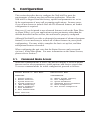
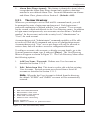
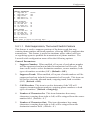
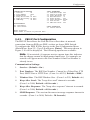
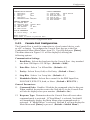
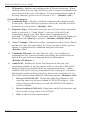
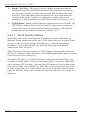
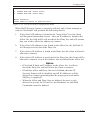
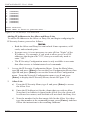
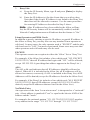
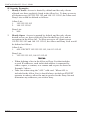
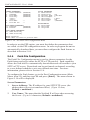
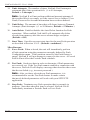
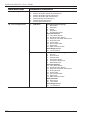
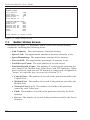
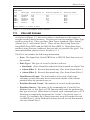
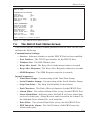
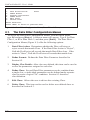
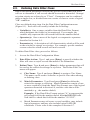
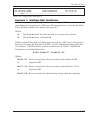
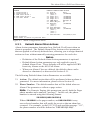
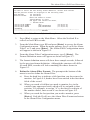
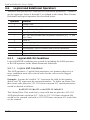
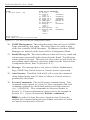
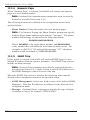
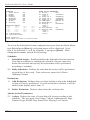
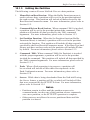
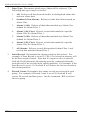
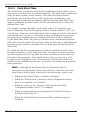
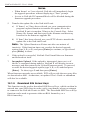
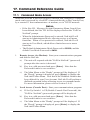
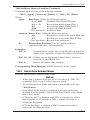
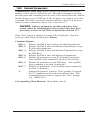
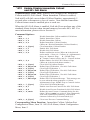
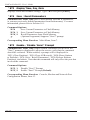
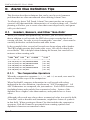
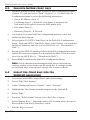
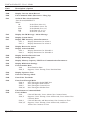
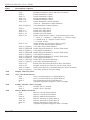
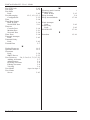
Figure 5.11: Console Port Configuration Menu
5.4.3.
Console Port Configuration
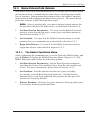
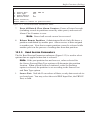
The Console Port is used for connection to a local control device, such
as a PC or laptop. To configure the Console Port, first go to the Port
Configuration Menu (Main Menu, item 22). Type 21 and press [Enter].
The menu shown in Figure 5.11 will be displayed, offering the
following options:
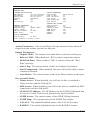
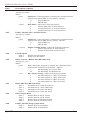
Communication Settings:
1. Baud Rate: Selects the baud rate for the Console Port. Any standard
rate from 1200 bps to 115.2K bps. (Default = 9600.)
2.
Data Bits: Selects 7 or 8 Data Bits. (Default = 8.)
3.
Parity: Selects Even, Odd, or No Parity. (Default = None.)
4.
Stop Bits: Selects 1 or 2 stop bits. (Default = 1.)
5.
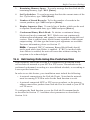
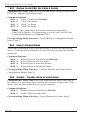
Handshake Mode: Selects flow control for the PBX Input Port;
XON/XOFF, RTS/CTS, both, or None. (Default = RTS/CTS.)
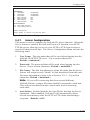
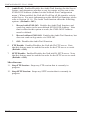
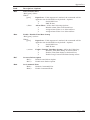
General Parameters:
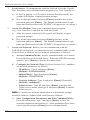
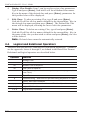
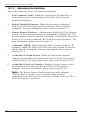
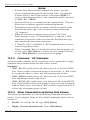
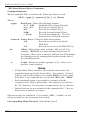
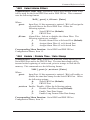
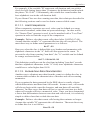
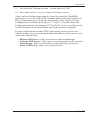
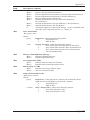
11. Command Echo: Enables / Disables the command echo for this port.
When enabled, keystrokes sent to the NetLink II via the Console Port
will also be displayed on your monitor. (Default = On.)
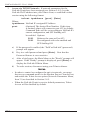
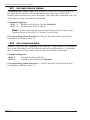
12. Response Type: Determines how the Console Port will react when
command mode is activated. If "Send Menu" is selected, NetLink II
will immediately display the Main Menu when command mode is
activated. If "Inhibit Menu" is selected, NetLink II will not display the
Main Menu until [Enter] is pressed. (Default = Inhibit Menu.)
5-17