1
8
Chapter 1: Introduction
Microscan MS-3 Laser Scanner Device Driver User Guide
Advantages of distributing device drivers as plug-ins are:
❑ You only need to install the plug-ins for the devices you use
❑ When new plug-ins become available, they can be easily added.
There is no need to re-install the VWorks or BenchWorks software
application
IWorks interface
The device driver plug-ins and VWorks or BenchWorks software use
IWorks software as a common interface to communicate with each
other. Using a common interface allows the creation of a device driver
plug-in without the necessity of changing the software.
!! IMPORTANT !! Both VWorks or BenchWorks software and the
device driver must be using the same version of IWorks to work
properly.
Writing your own
device driver
If you are a lab automation system integrator who writes software and
configures hardware controlled by VWorks or BenchWorks software, you
can write your own driver plug-in for a new device. Contact the
Velocity11 Technical Support for information about how to do this.
What functions do
the device drivers
provide?
Once installed, the following items are enabled:
❑ Tasks associated with the device.
Device-specific tasks appear in the Protocol Tasks list and are
available for use in protocol editor processes.
❑ Task parameters associated with the device.
Device-specific task parameters appear in the Protocol Task
Parameters toolbar. These determine the conditions with which to
execute the tasks of the device.
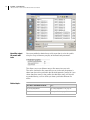
❑ Diagnostic commands specific to the device.
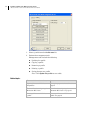
Device-specific diagnostic commands and options appear in the
Device Diagnostics dialog box. These commands enable direct
control of the device.
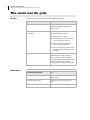
Related topics
For information about...
See...
Adding a device to the device
manager
“Adding devices” on page 10
Opening diagnostics
“Opening diagnostics” on page 12
Installing a device driver
“Installing device drivers” on page 9
Devices
“About devices” on page 6