1
Users’ manual
Xen v2.0 for x86
Xen is Copyright (c) 2002-2004, The Xen Team
University of Cambridge, UK
DISCLAIMER: This documentation is currently under active development and
as such there may be mistakes and omissions — watch out for these and please
report any you find to the developer’s mailing list. Contributions of material,
suggestions and corrections are welcome.
Contents
I Introduction and Tutorial
1
1 Introduction
1.1 Structure of a Xen-Based System . . . . . . . . . . . . . . . . . . . .
1.2 Hardware Support . . . . . . . . . . . . . . . . . . . . . . . . . . . .
1.3 History . . . . . . . . . . . . . . . . . . . . . . . . . . . . . . . . .
3
4
4
5
2 Installation
2.1 Prerequisites . . . . . . . . . . . .
2.2 Installing from Binary Tarball . .
2.3 Installing from Source . . . . . .
2.3.1 Obtaining the Source . . .
2.3.2 Building from Source . . .
2.3.3 Custom XenLinux Builds
2.3.4 Installing the Binaries . .
2.4 Configuration . . . . . . . . . . .
2.4.1 GRUB Configuration . . .
2.4.2 Serial Console (optional) .
2.4.3 TLS Libraries . . . . . . .
2.5 Booting Xen . . . . . . . . . . . .
.
.
.
.
.
.
.
.
.
.
.
.
.
.
.
.
.
.
.
.
.
.
.
.
.
.
.
.
.
.
.
.
.
.
.
.
.
.
.
.
.
.
.
.
.
.
.
.
.
.
.
.
.
.
.
.
.
.
.
.
3 Starting Additional Domains
3.1 Creating a Domain Configuration File . . .
3.2 Booting the Domain . . . . . . . . . . . . .
3.3 Example: ttylinux . . . . . . . . . . . . . .
3.4 Starting / Stopping Domains Automatically
4 Domain Management Tools
4.1 Command-line Management . . . . . .
4.1.1 Basic Management Commands .
4.1.2 xm list . . . . . . . . . . . .
4.2 Domain Save and Restore . . . . . . . .
4.3 Live Migration . . . . . . . . . . . . .
i
.
.
.
.
.
.
.
.
.
.
.
.
.
.
.
.
.
.
.
.
.
.
.
.
.
.
.
.
.
.
.
.
.
.
.
.
.
.
.
.
.
.
.
.
.
.
.
.
.
.
.
.
.
.
.
.
.
.
.
.
.
.
.
.
.
.
.
.
.
.
.
.
.
.
.
.
.
.
.
.
.
.
.
.
.
.
.
.
.
.
.
.
.
.
.
.
.
.
.
.
.
.
.
.
.
.
.
.
.
.
.
.
.
.
.
.
.
.
.
.
.
.
.
.
.
.
.
.
.
.
.
.
.
.
.
.
.
.
.
.
.
.
.
.
.
.
.
.
.
.
.
.
.
.
.
.
.
.
.
.
.
.
.
.
.
.
.
.
.
.
.
.
.
.
.
.
.
.
.
.
.
.
.
.
.
.
.
.
.
.
.
.
.
.
.
.
.
.
.
.
.
.
.
.
.
.
.
.
.
.
.
.
.
.
.
.
.
.
.
.
.
.
.
.
.
.
.
.
.
.
.
.
.
.
.
.
.
.
.
.
.
.
.
.
.
.
.
.
.
.
.
.
.
.
.
.
.
.
.
.
.
.
.
.
.
.
.
.
.
.
.
.
.
.
.
.
.
.
.
.
.
.
.
.
.
.
.
.
.
.
.
.
.
.
.
7
7
8
8
8
9
10
10
10
11
11
12
12
.
.
.
.
13
13
14
14
15
.
.
.
.
.
17
17
17
17
18
19
4.4
Managing Domain Memory . . . . . . . . . . . . . . .
4.4.1 Setting memory footprints from dom0 . . . . . .
4.4.2 Setting memory footprints from within a domain
4.4.3 Setting memory limits . . . . . . . . . . . . . .
5 Domain Filesystem Storage
5.1 Exporting Physical Devices as VBDs .
5.2 Using File-backed VBDs . . . . . . .
5.3 Using LVM-backed VBDs . . . . . .
5.4 Using NFS Root . . . . . . . . . . . .
.
.
.
.
.
.
.
.
.
.
.
.
.
.
.
.
.
.
.
.
.
.
.
.
.
.
.
.
.
.
.
.
.
.
.
.
.
.
.
.
.
.
.
.
.
.
.
.
.
.
.
.
.
.
.
.
.
.
.
.
.
.
.
.
.
.
.
.
.
.
.
.
.
.
.
.
.
.
.
.
.
.
.
.
.
.
.
.
.
.
.
.
20
20
20
20
.
.
.
.
21
21
22
23
24
II User Reference Documentation
25
6 Control Software
6.1 Xend (node control daemon) . . . . . . . . . . . . . . . . . . . . . .
6.2 Xm (command line interface) . . . . . . . . . . . . . . . . . . . . . .
6.3 Xensv (web control interface) . . . . . . . . . . . . . . . . . . . . .
27
27
28
29
7 Domain Configuration
7.1 Configuration Files . . . . . . . . . .
7.2 Network Configuration . . . . . . . .
7.2.1 Xen virtual network topology
7.2.2 Xen networking scripts . . . .
7.3 Driver Domain Configuration . . . . .
7.4 Scheduler Configuration . . . . . . .
7.4.1 Borrowed Virtual Time . . . .
7.4.2 Atropos . . . . . . . . . . . .
7.4.3 Round Robin . . . . . . . . .
.
.
.
.
.
.
.
.
.
31
31
32
32
33
33
34
34
35
35
.
.
.
.
37
37
37
39
40
9 Further Support
9.1 Other Documentation . . . . . . . . . . . . . . . . . . . . . . . . . .
9.2 Online References . . . . . . . . . . . . . . . . . . . . . . . . . . . .
9.3 Mailing Lists . . . . . . . . . . . . . . . . . . . . . . . . . . . . . .
41
41
41
41
A Installing Xen / XenLinux on Debian
43
8 Build, Boot and Debug options
8.1 Xen Build Options . . . .
8.2 Xen Boot Options . . . . .
8.3 XenLinux Boot Options . .
8.4 Debugging . . . . . . . . .
.
.
.
.
.
.
.
.
.
.
.
.
ii
.
.
.
.
.
.
.
.
.
.
.
.
.
.
.
.
.
.
.
.
.
.
.
.
.
.
.
.
.
.
.
.
.
.
.
.
.
.
.
.
.
.
.
.
.
.
.
.
.
.
.
.
.
.
.
.
.
.
.
.
.
.
.
.
.
.
.
.
.
.
.
.
.
.
.
.
.
.
.
.
.
.
.
.
.
.
.
.
.
.
.
.
.
.
.
.
.
.
.
.
.
.
.
.
.
.
.
.
.
.
.
.
.
.
.
.
.
.
.
.
.
.
.
.
.
.
.
.
.
.
.
.
.
.
.
.
.
.
.
.
.
.
.
.
.
.
.
.
.
.
.
.
.
.
.
.
.
.
.
.
.
.
.
.
.
.
.
.
.
.
.
.
.
.
.
.
.
.
.
.
.
.
.
.
.
.
.
.
.
.
.
.
.
.
.
.
.
.
.
.
.
.
.
.
.
.
.
.
.
.
.
.
.
.
.
.
.
.
.
.
B Installing Xen / XenLinux on Redhat or Fedora Core
47
C Glossary of Terms
49
iii
iv
Part I
Introduction and Tutorial
1
Chapter 1
Introduction
Xen is a paravirtualising virtual machine monitor (VMM), or ‘hypervisor’, for the x86
processor architecture. Xen can securely execute multiple virtual machines on a single
physical system with close-to-native performance. The virtual machine technology
facilitates enterprise-grade functionality, including:
• Virtual machines with performance close to native hardware.
• Live migration of running virtual machines between physical hosts.
• Excellent hardware support (supports most Linux device drivers).
• Sandboxed, restartable device drivers.
Paravirtualisation permits very high performance virtualisation, even on architectures
like x86 that are traditionally very hard to virtualise. The drawback of this approach
is that it requires operating systems to be ported to run on Xen. Porting an OS to run
on Xen is similar to supporting a new hardware platform, however the process is simplified because the paravirtual machine architecture is very similar to the underlying
native hardware. Even though operating system kernels must explicitly support Xen, a
key feature is that user space applications and libraries do not require modification.
Xen support is available for increasingly many operating systems: right now, Linux
2.4, Linux 2.6 and NetBSD are available for Xen 2.0. A FreeBSD port is undergoing
testing and will be incorporated into the release soon. Other OS ports, including Plan
9, are in progress. We hope that that arch-xen patches will be incorporated into the
mainstream releases of these operating systems in due course (as has already happened
for NetBSD).
Possible usage scenarios for Xen include:
Kernel development. Test and debug kernel modifications in a sandboxed virtual machine — no need for a separate test machine.
Multiple OS configurations. Run multiple operating systems simultaneously, for instance for compatibility or QA purposes.
3
Server consolidation. Move multiple servers onto a single physical host with performance and fault isolation provided at virtual machine boundaries.
Cluster computing. Management at VM granularity provides more flexibility than
separately managing each physical host, but better control and isolation than
single-system image solutions, particularly by using live migration for load balancing.
Hardware support for custom OSes. Allow development of new OSes while benefiting from the wide-ranging hardware support of existing OSes such as Linux.
1.1 Structure of a Xen-Based System
A Xen system has multiple layers, the lowest and most privileged of which is Xen
itself. Xen in turn may host multiple guest operating systems, each of which is executed within a secure virtual machine (in Xen terminology, a domain). Domains are
scheduled by Xen to make effective use of the available physical CPUs. Each guest
OS manages its own applications, which includes responsibility for scheduling each
application within the time allotted to the VM by Xen.
The first domain, domain 0, is created automatically when the system boots and has
special management privileges. Domain 0 builds other domains and manages their
virtual devices. It also performs administrative tasks such as suspending, resuming
and migrating other virtual machines.
Within domain 0, a process called xend runs to manage the system. Xend is responsible
for managing virtual machines and providing access to their consoles. Commands are
issued to xend over an HTTP interface, either from a command-line tool or from a web
browser.
1.2 Hardware Support
Xen currently runs only on the x86 architecture, requiring a ‘P6’ or newer processor
(e.g. Pentium Pro, Celeron, Pentium II, Pentium III, Pentium IV, Xeon, AMD Athlon,
AMD Duron). Multiprocessor machines are supported, and we also have basic support
for HyperThreading (SMT), although this remains a topic for ongoing research. A port
specifically for x86/64 is in progress, although Xen already runs on such systems in 32bit legacy mode. In addition a port to the IA64 architecture is approaching completion.
We hope to add other architectures such as PPC and ARM in due course.
Xen can currently use up to 4GB of memory. It is possible for x86 machines to address
up to 64GB of physical memory but there are no current plans to support these systems:
The x86/64 port is the planned route to supporting larger memory sizes.
Xen offloads most of the hardware support issues to the guest OS running in Domain 0.
4
Xen itself contains only the code required to detect and start secondary processors, set
up interrupt routing, and perform PCI bus enumeration. Device drivers run within a
privileged guest OS rather than within Xen itself. This approach provides compatibility with the majority of device hardware supported by Linux. The default XenLinux
build contains support for relatively modern server-class network and disk hardware,
but you can add support for other hardware by configuring your XenLinux kernel in
the normal way.
1.3 History
Xen was originally developed by the Systems Research Group at the University of
Cambridge Computer Laboratory as part of the XenoServers project, funded by the
UK-EPSRC. XenoServers aim to provide a ‘public infrastructure for global distributed
computing’, and Xen plays a key part in that, allowing us to efficiently partition a single machine to enable multiple independent clients to run their operating systems and
applications in an environment providing protection, resource isolation and accounting. The project web page contains further information along with pointers to papers
and technical reports: http://www.cl.cam.ac.uk/xeno
Xen has since grown into a fully-fledged project in its own right, enabling us to investigate interesting research issues regarding the best techniques for virtualising resources
such as the CPU, memory, disk and network. The project has been bolstered by support from Intel Research Cambridge, and HP Labs, who are now working closely with
us.
Xen was first described in a paper presented at SOSP in 2003 1 , and the first public
release (1.0) was made that October. Since then, Xen has significantly matured and is
now used in production scenarios on many sites.
Xen 2.0 features greatly enhanced hardware support, configuration flexibility, usability
and a larger complement of supported operating systems. This latest release takes Xen
a step closer to becoming the definitive open source solution for virtualisation.
1
http://www.cl.cam.ac.uk/netos/papers/2003-xensosp.pdf
5
6
Chapter 2
Installation
The Xen distribution includes three main components: Xen itself, ports of Linux 2.4
and 2.6 and NetBSD to run on Xen, and the user-space tools required to manage a
Xen-based system. This chapter describes how to install the Xen 2.0 distribution from
source. Alternatively, there may be pre-built packages available as part of your operating system distribution.
2.1 Prerequisites
The following is a full list of prerequisites. Items marked ‘†’ are required by the xend
control tools, and hence required if you want to run more than one virtual machine;
items marked ‘∗’ are only required if you wish to build from source.
• A working Linux distribution using the GRUB bootloader and running on a P6class (or newer) CPU.
† The iproute2 package.
† The Linux bridge-utils1 (e.g., /sbin/brctl)
† An installation of Twisted v1.3 or above2 . There may be a binary package available for your distribution; alternatively it can be installed by running ‘make
install-twisted’ in the root of the Xen source tree.
∗ Build tools (gcc v3.2.x or v3.3.x, binutils, GNU make).
∗ Development installation of libcurl (e.g., libcurl-devel)
∗ Development installation of zlib (e.g., zlib-dev).
∗ Development installation of Python v2.2 or later (e.g., python-dev).
1
2
∗ LATEXand transfig are required to build the documentation.
Available from http://bridge.sourceforge.net
Available from http://www.twistedmatrix.com
7
Once you have satisfied the relevant prerequisites, you can now install either a binary
or source distribution of Xen.
2.2 Installing from Binary Tarball
Pre-built tarballs are available for download from the Xen download page
http://xen.sf.net
Once you’ve downloaded the tarball, simply unpack and install:
# tar zxvf xen-2.0-install.tgz
# cd xen-2.0-install
# sh ./install.sh
Once you’ve installed the binaries you need to configure your system as described in
Section 2.4.
2.3 Installing from Source
This section describes how to obtain, build, and install Xen from source.
2.3.1
Obtaining the Source
The Xen source tree is available as either a compressed source tar ball or as a clone of
our master BitKeeper repository.
Obtaining the Source Tarball
Stable versions (and daily snapshots) of the Xen source tree are available as
compressed tarballs from the Xen download page
http://xen.sf.net
Using BitKeeper
If you wish to install Xen from a clone of our latest BitKeeper repository then
you will need to install the BitKeeper tools. Download instructions for BitKeeper can be obtained by filling out the form at:
http://www.bitmover.com/cgi-bin/download.cgi
The public master BK repository for the 2.0 release lives at:
bk://xen.bkbits.net/xen-2.0.bk
You can use BitKeeper to download it and keep it updated with the latest features
and fixes.
Change to the directory in which you want to put the source code, then run:
8
# bk clone bk://xen.bkbits.net/xen-2.0.bk
Under your current directory, a new directory named xen-2.0.bk has been
created, which contains all the source code for Xen, the OS ports, and the control
tools. You can update your repository with the latest changes at any time by
running:
# cd xen-2.0.bk # to change into the local repository
# bk pull
# to update the repository
2.3.2
Building from Source
The top-level Xen Makefile includes a target ‘world’ that will do the following:
• Build Xen
• Build the control tools, including xend
• Download (if necessary) and unpack the Linux 2.6 source code, and patch it for
use with Xen
• Build a Linux kernel to use in domain 0 and a smaller unprivileged kernel, which
can optionally be used for unprivileged virtual machines.
After the build has completed you should have a top-level directory called dist/
in which all resulting targets will be placed; of particular interest are the two kernels
XenLinux kernel images, one with a ‘-xen0’ extension which contains hardware device
drivers and drivers for Xen’s virtual devices, and one with a ‘-xenU’ extension that just
contains the virtual ones. These are found in dist/install/boot/ along with the
image for Xen itself and the configuration files used during the build.
The NetBSD port can be built using:
# make netbsd20
NetBSD port is built using a snapshot of the netbsd-2-0 cvs branch. The snapshot is
downloaded as part of the build process, if it is not yet present in the NETBSD SRC PATH
search path. The build process also downloads a toolchain which includes all the tools
necessary to build the NetBSD kernel under Linux.
To customize further the set of kernels built you need to edit the top-level Makefile.
Look for the line:
KERNELS ?= mk.linux-2.6-xen0 mk.linux-2.6-xenU
You can edit this line to include any set of operating system kernels which have configurations in the top-level buildconfigs/ directory, for example mk.linux-2.4xenU to build a Linux 2.4 kernel containing only virtual device drivers.
9
2.3.3
Custom XenLinux Builds
If you wish to build a customized XenLinux kernel (e.g. to support additional devices
or enable distribution-required features), you can use the standard Linux configuration
mechanisms, specifying that the architecture being built for is xen, e.g:
#
#
#
#
cd linux-2.6.11-xen0
make ARCH=xen xconfig
cd ..
make
You can also copy an existing Linux configuration (.config) into linux-2.6.11xen0 and execute:
# make ARCH=xen oldconfig
You may be prompted with some Xen-specific options; we advise accepting the defaults for these options.
Note that the only difference between the two types of Linux kernel that are built is
the configuration file used for each. The ”U” suffixed (unprivileged) versions don’t
contain any of the physical hardware device drivers, leading to a 30% reduction in
size; hence you may prefer these for your non-privileged domains. The ‘0’ suffixed
privileged versions can be used to boot the system, as well as in driver domains and
unprivileged domains.
2.3.4
Installing the Binaries
The files produced by the build process are stored under the dist/install/ directory. To install them in their default locations, do:
# make install
Alternatively, users with special installation requirements may wish to install them
manually by copying the files to their appropriate destinations.
The dist/install/boot directory will also contain the config files used for building the XenLinux kernels, and also versions of Xen and XenLinux kernels that contain
debug symbols (xen-syms-2.0.6 and vmlinux-syms-2.6.11.11-xen0) which
are essential for interpreting crash dumps. Retain these files as the developers may
wish to see them if you post on the mailing list.
2.4 Configuration
Once you have built and installed the Xen distribution, it is simple to prepare the
machine for booting and running Xen.
10
2.4.1
GRUB Configuration
An entry should be added to grub.conf (often found under /boot/ or /boot/grub/)
to allow Xen / XenLinux to boot. This file is sometimes called menu.lst, depending
on your distribution. The entry should look something like the following:
title Xen 2.0 / XenLinux 2.6
kernel /boot/xen-2.0.gz dom0_mem=131072
module /boot/vmlinuz-2.6-xen0 root=/dev/sda4 ro console=tty0
The kernel line tells GRUB where to find Xen itself and what boot parameters should
be passed to it (in this case, setting domain 0’s memory allocation in kilobytes and the
settings for the serial port). For more details on the various Xen boot parameters see
Section 8.2.
The module line of the configuration describes the location of the XenLinux kernel
that Xen should start and the parameters that should be passed to it (these are standard
Linux parameters, identifying the root device and specifying it be initially mounted
read only and instructing that console output be sent to the screen). Some distributions
such as SuSE do not require the ro parameter.
If you want to use an initrd, just add another module line to the configuration, as usual:
module /boot/my_initrd.gz
As always when installing a new kernel, it is recommended that you do not delete
existing menu options from menu.lst — you may want to boot your old Linux kernel
in future, particularly if you have problems.
2.4.2
Serial Console (optional)
In order to configure Xen serial console output, it is necessary to add an boot option to
your GRUB config; e.g. replace the above kernel line with:
kernel /boot/xen.gz dom0_mem=131072 com1=115200,8n1
This configures Xen to output on COM1 at 115,200 baud, 8 data bits, 1 stop bit and no
parity. Modify these parameters for your set up.
One can also configure XenLinux to share the serial console; to achieve this append
“console=ttyS0” to your module line.
If you wish to be able to log in over the XenLinux serial console it is necessary to add
a line into /etc/inittab, just as per regular Linux. Simply add the line:
c:2345:respawn:/sbin/mingetty ttyS0
and you should be able to log in. Note that to successfully log in as root over the serial
line will require adding ttyS0 to /etc/securetty in most modern distributions.
11
2.4.3
TLS Libraries
Users of the XenLinux 2.6 kernel should disable Thread Local Storage (e.g. by doing
a mv /lib/tls /lib/tls.disabled) before attempting to run with a XenLinux
kernel3 . You can always reenable it by restoring the directory to its original location
(i.e. mv /lib/tls.disabled /lib/tls).
The reason for this is that the current TLS implementation uses segmentation in a way
that is not permissible under Xen. If TLS is not disabled, an emulation mode is used
within Xen which reduces performance substantially.
We hope that this issue can be resolved by working with Linux distribution vendors to
implement a minor backward-compatible change to the TLS library.
2.5 Booting Xen
It should now be possible to restart the system and use Xen. Reboot as usual but choose
the new Xen option when the Grub screen appears.
What follows should look much like a conventional Linux boot. The first portion of
the output comes from Xen itself, supplying low level information about itself and the
machine it is running on. The following portion of the output comes from XenLinux.
You may see some errors during the XenLinux boot. These are not necessarily anything to worry about — they may result from kernel configuration differences between
your XenLinux kernel and the one you usually use.
When the boot completes, you should be able to log into your system as usual. If you
are unable to log in to your system running Xen, you should still be able to reboot with
your normal Linux kernel.
3
If you boot without first disabling TLS, you will get a warning message during the boot process. In
this case, simply perform the rename after the machine is up and then run /sbin/ldconfig to make
it take effect.
12
Chapter 3
Starting Additional Domains
The first step in creating a new domain is to prepare a root filesystem for it to boot off.
Typically, this might be stored in a normal partition, an LVM or other volume manager
partition, a disk file or on an NFS server. A simple way to do this is simply to boot
from your standard OS install CD and install the distribution into another partition on
your hard drive.
To start the xend control daemon, type
# xend start
If you wish the daemon to start automatically, see the instructions in Section 6.1. Once
the daemon is running, you can use the xm tool to monitor and maintain the domains
running on your system. This chapter provides only a brief tutorial: we provide full
details of the xm tool in the next chapter.
3.1 Creating a Domain Configuration File
Before you can start an additional domain, you must create a configuration file. We
provide two example files which you can use as a starting point:
• /etc/xen/xmexample1 is a simple template configuration file for describing
a single VM.
• /etc/xen/xmexample2 file is a template description that is intended to be
reused for multiple virtual machines. Setting the value of the vmid variable on
the xm command line fills in parts of this template.
Copy one of these files and edit it as appropriate. Typical values you may wish to edit
include:
kernel Set this to the path of the kernel you compiled for use with Xen
(e.g. kernel = ’/boot/vmlinuz-2.6-xenU’)
13
memory Set this to the size of the domain’s memory in megabytes (e.g.
memory = 64)
disk Set the first entry in this list to calculate the offset of the domain’s
root partition, based on the domain ID. Set the second to the location of /usr if you are sharing it between domains (e.g. disk =
[’phy:your hard drive%d,sda1,w’ % (base partition number
+ vmid), ’phy:your usr partition,sda6,r’ ]
dhcp Uncomment the dhcp variable, so that the domain will receive its
IP address from a DHCP server (e.g. dhcp=’dhcp’)
You may also want to edit the vif variable in order to choose the MAC address of the
virtual ethernet interface yourself. For example:
vif = [’mac=00:06:AA:F6:BB:B3’]
If you do not set this variable, xend will automatically generate a random MAC address
from an unused range.
3.2 Booting the Domain
The xm tool provides a variety of commands for managing domains. Use the create
command to start new domains. Assuming you’ve created a configuration file myvmconf
based around /etc/xen/xmexample2, to start a domain with virtual machine ID 1
you should type:
# xm create -c myvmconf vmid=1
The -c switch causes xm to turn into the domain’s console after creation. The vmid=1
sets the vmid variable used in the myvmconf file.
You should see the console boot messages from the new domain appearing in the
terminal in which you typed the command, culminating in a login prompt.
3.3 Example: ttylinux
Ttylinux is a very small Linux distribution, designed to require very few resources. We
will use it as a concrete example of how to start a Xen domain. Most users will probably want to install a full-featured distribution once they have mastered the basics 1 .
1. Download and extract the ttylinux disk image from the Files section of the
project’s SourceForge site (see http://sf.net/projects/xen/).
2. Create a configuration file like the following:
1
ttylinux is maintained by Pascal Schmidt. You can download source packages from the distribution’s
home page: http://www.minimalinux.org/ttylinux/
14
kernel = "/boot/vmlinuz-2.6-xenU"
memory = 64
name = "ttylinux"
nics = 1
ip = "1.2.3.4"
disk = [’file:/path/to/ttylinux/rootfs,sda1,w’]
root = "/dev/sda1 ro"
3. Now start the domain and connect to its console:
xm create configfile -c
4. Login as root, password root.
3.4 Starting / Stopping Domains Automatically
It is possible to have certain domains start automatically at boot time and to have dom0
wait for all running domains to shutdown before it shuts down the system.
To specify a domain is to start at boot-time, place its configuration file (or a link to it)
under /etc/xen/auto/.
A Sys-V style init script for RedHat and LSB-compliant systems is provided and will
be automatically copied to /etc/init.d/ during install. You can then enable it in
the appropriate way for your distribution.
For instance, on RedHat:
# chkconfig --add xendomains
By default, this will start the boot-time domains in runlevels 3, 4 and 5.
You can also use the service command to run this script manually, e.g:
# service xendomains start
Starts all the domains with config files under /etc/xen/auto/.
# service xendomains stop
Shuts down ALL running Xen domains.
15
16
Chapter 4
Domain Management Tools
The previous chapter described a simple example of how to configure and start a domain. This chapter summarises the tools available to manage running domains.
4.1 Command-line Management
Command line management tasks are also performed using the xm tool. For online
help for the commands available, type:
# xm help
You can also type xm help <command> for more information on a given command.
4.1.1
Basic Management Commands
The most important xm commands are:
# xm list: Lists all domains running.
# xm consoles : Gives information about the domain consoles.
# xm console: Opens a console to a domain (e.g. # xm console myVM
4.1.2
xm list
The output of xm list is in rows of the following format:
name domid memory cpu state cputime console
name The descriptive name of the virtual machine.
domid The number of the domain ID this virtual machine is running in.
memory Memory size in megabytes.
cpu The CPU this domain is running on.
17
state Domain state consists of 5 fields:
r running
b blocked
p paused
s shutdown
c crashed
cputime How much CPU time (in seconds) the domain has used so far.
console TCP port accepting connections to the domain’s console.
The xm list command also supports a long output format when the -l switch is
used. This outputs the fulls details of the running domains in xend’s SXP configuration
format.
For example, suppose the system is running the ttylinux domain as described earlier.
The list command should produce output somewhat like the following:
# xm list
Name
Domain-0
ttylinux
Id
0
5
Mem(MB)
251
63
CPU
0
0
State
r----b---
Time(s)
172.2
3.0
Console
9605
Here we can see the details for the ttylinux domain, as well as for domain 0 (which,
of course, is always running). Note that the console port for the ttylinux domain is
9605. This can be connected to by TCP using a terminal program (e.g. telnet or,
better, xencons). The simplest way to connect is to use the xm console command,
specifying the domain name or ID. To connect to the console of the ttylinux domain,
we could use any of the following:
# xm console ttylinux
# xm console 5
# xencons localhost 9605
4.2 Domain Save and Restore
The administrator of a Xen system may suspend a virtual machine’s current state into
a disk file in domain 0, allowing it to be resumed at a later time.
The ttylinux domain described earlier can be suspended to disk using the command:
# xm save ttylinux ttylinux.xen
This will stop the domain named ‘ttylinux’ and save its current state into a file called
ttylinux.xen.
To resume execution of this domain, use the xm restore command:
18
# xm restore ttylinux.xen
This will restore the state of the domain and restart it. The domain will carry on
as before and the console may be reconnected using the xm console command, as
above.
4.3 Live Migration
Live migration is used to transfer a domain between physical hosts whilst that domain
continues to perform its usual activities — from the user’s perspective, the migration
should be imperceptible.
To perform a live migration, both hosts must be running Xen / xend and the destination host must have sufficient resources (e.g. memory capacity) to accommodate the
domain after the move. Furthermore we currently require both source and destination
machines to be on the same L2 subnet.
Currently, there is no support for providing automatic remote access to filesystems
stored on local disk when a domain is migrated. Administrators should choose an
appropriate storage solution (i.e. SAN, NAS, etc.) to ensure that domain filesystems
are also available on their destination node. GNBD is a good method for exporting a
volume from one machine to another. iSCSI can do a similar job, but is more complex
to set up.
When a domain migrates, it’s MAC and IP address move with it, thus it is only possible
to migrate VMs within the same layer-2 network and IP subnet. If the destination node
is on a different subnet, the administrator would need to manually configure a suitable
etherip or IP tunnel in the domain 0 of the remote node.
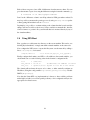
A domain may be migrated using the xm migrate command. To live migrate a domain to another machine, we would use the command:
# xm migrate --live mydomain destination.ournetwork.com
Without the --live flag, xend simply stops the domain and copies the memory image
over to the new node and restarts it. Since domains can have large allocations this
can be quite time consuming, even on a Gigabit network. With the --live flag xend
attempts to keep the domain running while the migration is in progress, resulting in
typical ‘downtimes’ of just 60–300ms.
For now it will be necessary to reconnect to the domain’s console on the new machine
using the xm console command. If a migrated domain has any open network connections then they will be preserved, so SSH connections do not have this limitation.
19
4.4 Managing Domain Memory
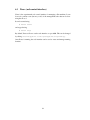
XenLinux domains have the ability to relinquish / reclaim machine memory at the
request of the administrator or the user of the domain.
4.4.1
Setting memory footprints from dom0
The machine administrator can request that a domain alter its memory footprint using
the xm set-mem command. For instance, we can request that our example ttylinux
domain reduce its memory footprint to 32 megabytes.
# xm set-mem ttylinux 32
We can now see the result of this in the output of xm list:
# xm list
Name
Domain-0
ttylinux
Id
0
5
Mem(MB)
251
31
CPU
0
0
State
r----b---
Time(s)
172.2
4.3
Console
9605
The domain has responded to the request by returning memory to Xen. We can restore
the domain to its original size using the command line:
# xm set-mem ttylinux 64
4.4.2
Setting memory footprints from within a domain
The virtual file /proc/xen/balloon allows the owner of a domain to adjust their
own memory footprint. Reading the file (e.g. cat /proc/xen/balloon) prints out
the current memory footprint of the domain. Writing the file (e.g. echo new target
> /proc/xen/balloon) requests that the kernel adjust the domain’s memory footprint to a new value.
4.4.3
Setting memory limits
Xen associates a memory size limit with each domain. By default, this is the amount
of memory the domain is originally started with, preventing the domain from ever
growing beyond this size. To permit a domain to grow beyond its original allocation
or to prevent a domain you’ve shrunk from reclaiming the memory it relinquished, use
the xm maxmem command.
20
Chapter 5
Domain Filesystem Storage
It is possible to directly export any Linux block device in dom0 to another domain, or
to export filesystems / devices to virtual machines using standard network protocols
(e.g. NBD, iSCSI, NFS, etc). This chapter covers some of the possibilities.
5.1 Exporting Physical Devices as VBDs
One of the simplest configurations is to directly export individual partitions from domain 0 to other domains. To achieve this use the phy: specifier in your domain
configuration file. For example a line like
disk = [’phy:hda3,sda1,w’]
specifies that the partition /dev/hda3 in domain 0 should be exported read-write to
the new domain as /dev/sda1; one could equally well export it as /dev/hda or
/dev/sdb5 should one wish.
In addition to local disks and partitions, it is possible to export any device that Linux
considers to be “a disk” in the same manner. For example, if you have iSCSI disks or
GNBD volumes imported into domain 0 you can export these to other domains using
the phy: disk syntax. E.g.:
disk = [’phy:vg/lvm1,sda2,w’]
Warning: Block device sharing
Block devices should typically only be shared between domains in a readonly fashion otherwise the Linux kernel’s file systems will get very confused as the file system structure may change underneath them (having
the same ext3 partition mounted rw twice is a sure fire way to cause irreparable damage)! Xend will attempt to prevent you from doing this
by checking that the device is not mounted read-write in domain 0, and
hasn’t already been exported read-write to another domain. If you want
21
read-write sharing, export the directory to other domains via NFS from
domain0 (or use a cluster file system such as GFS or ocfs2).
5.2 Using File-backed VBDs
It is also possible to use a file in Domain 0 as the primary storage for a virtual machine.
As well as being convenient, this also has the advantage that the virtual block device
will be sparse — space will only really be allocated as parts of the file are used. So
if a virtual machine uses only half of its disk space then the file really takes up half of
the size allocated.
For example, to create a 2GB sparse file-backed virtual block device (actually only
consumes 1KB of disk):
# dd if=/dev/zero of=vm1disk bs=1k seek=2048k count=1
Make a file system in the disk file:
# mkfs -t ext3 vm1disk
(when the tool asks for confirmation, answer ‘y’)
Populate the file system e.g. by copying from the current root:
# mount -o loop vm1disk /mnt
# cp -ax /{root,dev,var,etc,usr,bin,sbin,lib} /mnt
# mkdir /mnt/{proc,sys,home,tmp}
Tailor the file system by editing /etc/fstab, /etc/hostname, etc (don’t forget
to edit the files in the mounted file system, instead of your domain 0 filesystem, e.g.
you would edit /mnt/etc/fstab instead of /etc/fstab ). For this example put
/dev/sda1 to root in fstab.
Now unmount (this is important!):
# umount /mnt
In the configuration file set:
disk = [’file:/full/path/to/vm1disk,sda1,w’]
As the virtual machine writes to its ‘disk’, the sparse file will be filled in and consume
more space up to the original 2GB.
Note that file-backed VBDs may not be appropriate for backing I/O-intensive
domains. File-backed VBDs are known to experience substantial slowdowns under
heavy I/O workloads, due to the I/O handling by the loopback block device used to
support file-backed VBDs in dom0. Better I/O performance can be achieved by using
either LVM-backed VBDs (Section 5.3) or physical devices as VBDs (Section 5.1).
Linux supports a maximum of eight file-backed VBDs across all domains by default.
22
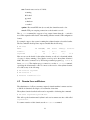
This limit can be statically increased by using the max loop module parameter if CONFIG BLK DEV LOOP is compiled as a module in the dom0 kernel, or by using the
max loop=n boot option if CONFIG BLK DEV LOOP is compiled directly into the
dom0 kernel.
5.3 Using LVM-backed VBDs
A particularly appealing solution is to use LVM volumes as backing for domain filesystems since this allows dynamic growing/shrinking of volumes as well as snapshot
and other features.
To initialise a partition to support LVM volumes:
# pvcreate /dev/sda10
Create a volume group named ‘vg’ on the physical partition:
# vgcreate vg /dev/sda10
Create a logical volume of size 4GB named ‘myvmdisk1’:
# lvcreate -L4096M -n myvmdisk1 vg
You should now see that you have a /dev/vg/myvmdisk1 Make a filesystem, mount
it and populate it, e.g.:
#
#
#
#
mkfs -t ext3 /dev/vg/myvmdisk1
mount /dev/vg/myvmdisk1 /mnt
cp -ax / /mnt
umount /mnt
Now configure your VM with the following disk configuration:
disk = [ ’phy:vg/myvmdisk1,sda1,w’ ]
LVM enables you to grow the size of logical volumes, but you’ll need to resize the
corresponding file system to make use of the new space. Some file systems (e.g. ext3)
now support on-line resize. See the LVM manuals for more details.
You can also use LVM for creating copy-on-write clones of LVM volumes (known
as writable persistent snapshots in LVM terminology). This facility is new in Linux
2.6.8, so isn’t as stable as one might hope. In particular, using lots of CoW LVM disks
consumes a lot of dom0 memory, and error conditions such as running out of disk
space are not handled well. Hopefully this will improve in future.
To create two copy-on-write clone of the above file system you would use the following
commands:
# lvcreate -s -L1024M -n myclonedisk1 /dev/vg/myvmdisk1
# lvcreate -s -L1024M -n myclonedisk2 /dev/vg/myvmdisk1
23
Each of these can grow to have 1GB of differences from the master volume. You can
grow the amount of space for storing the differences using the lvextend command, e.g.:
# lvextend +100M /dev/vg/myclonedisk1
Don’t let the ‘differences volume’ ever fill up otherwise LVM gets rather confused. It
may be possible to automate the growing process by using dmsetup wait to spot the
volume getting full and then issue an lvextend.
In principle, it is possible to continue writing to the volume that has been cloned (the
changes will not be visible to the clones), but we wouldn’t recommend this: have the
cloned volume as a ‘pristine’ file system install that isn’t mounted directly by any of
the virtual machines.
5.4 Using NFS Root
First, populate a root filesystem in a directory on the server machine. This can be on a
distinct physical machine, or simply run within a virtual machine on the same node.
Now configure the NFS server to export this filesystem over the network by adding a
line to /etc/exports, for instance:
/export/vm1root
1.2.3.4/24 (rw,sync,no_root_squash)
Finally, configure the domain to use NFS root. In addition to the normal variables, you
should make sure to set the following values in the domain’s configuration file:
root
= ’/dev/nfs’
nfs_server = ’2.3.4.5’
# substitute IP address of server
nfs_root
= ’/path/to/root’ # path to root FS on the server
The domain will need network access at boot time, so either statically configure an
IP address (Using the config variables ip, netmask, gateway, hostname) or enable
DHCP ( dhcp=’dhcp’).
Note that the Linux NFS root implementation is known to have stability problems
under high load (this is not a Xen-specific problem), so this configuration may not be
appropriate for critical servers.
24
Part II
User Reference Documentation
25
Chapter 6
Control Software
The Xen control software includes the xend node control daemon (which must be
running), the xm command line tools, and the prototype xensv web interface.
6.1 Xend (node control daemon)
The Xen Daemon (Xend) performs system management functions related to virtual
machines. It forms a central point of control for a machine and can be controlled using
an HTTP-based protocol. Xend must be running in order to start and manage virtual
machines.
Xend must be run as root because it needs access to privileged system management
functions. A small set of commands may be issued on the xend command line:
#
#
#
#
xend
xend
xend
xend
start
stop
restart
status
start xend, if not already running
stop xend if already running
restart xend if running, otherwise start it
indicates xend status by its return code
A SysV init script called xend is provided to start xend at boot time. make install
installs this script in /etc/init.d. To enable it, you have to make symbolic links in
the appropriate runlevel directories or use the chkconfig tool, where available.
Once xend is running, more sophisticated administration can be done using the xm
tool (see Section 6.2) and the experimental Xensv web interface (see Section 6.3).
As xend runs, events will be logged to /var/log/xend.log and, if the migration
assistant daemon (xfrd) has been started, /var/log/xfrd.log. These may be of
use for troubleshooting problems.
27
6.2 Xm (command line interface)
The xm tool is the primary tool for managing Xen from the console. The general
format of an xm command line is:
# xm command [switches] [arguments] [variables]
The available switches and arguments are dependent on the command chosen. The
variables may be set using declarations of the form variable=value and command line declarations override any of the values in the configuration file being used,
including the standard variables described above and any custom variables (for instance, the xmdefconfig file uses a vmid variable).
The available commands are as follows:
set-mem Request a domain to adjust its memory footprint.
create Create a new domain.
destroy Kill a domain immediately.
list List running domains.
shutdown Ask a domain to shutdown.
dmesg Fetch the Xen (not Linux!) boot output.
consoles Lists the available consoles.
console Connect to the console for a domain.
help Get help on xm commands.
save Suspend a domain to disk.
restore Restore a domain from disk.
pause Pause a domain’s execution.
unpause Unpause a domain.
pincpu Pin a domain to a CPU.
bvt Set BVT scheduler parameters for a domain.
bvt ctxallow Set the BVT context switching allowance for the system.
atropos Set the atropos parameters for a domain.
rrobin Set the round robin time slice for the system.
info Get information about the Xen host.
call Call a xend HTTP API function directly.
For a detailed overview of switches, arguments and variables to each command try
# xm help command
28
6.3 Xensv (web control interface)
Xensv is the experimental web control interface for managing a Xen machine. It can
be used to perform some (but not yet all) of the management tasks that can be done
using the xm tool.
It can be started using:
# xensv start
and stopped using:
# xensv stop
By default, Xensv will serve out the web interface on port 8080. This can be changed
by editing /usr/lib/python2.3/site-packages/xen/sv/params.py.
Once Xensv is running, the web interface can be used to create and manage running
domains.
29
30
Chapter 7
Domain Configuration
The following contains the syntax of the domain configuration files and description of
how to further specify networking, driver domain and general scheduling behaviour.
7.1 Configuration Files
Xen configuration files contain the following standard variables. Unless otherwise
stated, configuration items should be enclosed in quotes: see /etc/xen/xmexample1
and /etc/xen/xmexample2 for concrete examples of the syntax.
kernel Path to the kernel image
ramdisk Path to a ramdisk image (optional).
memory Memory size in megabytes.
cpu CPU to run this domain on, or -1 for auto-allocation.
console Port to export the domain console on (default 9600 + domain ID).
nics Number of virtual network interfaces.
vif List of MAC addresses (random addresses are assigned if not given) and bridges
to use for the domain’s network interfaces, e.g.
vif = [ ’mac=aa:00:00:00:00:11, bridge=xen-br0’,
’bridge=xen-br1’ ]
to assign a MAC address and bridge to the first interface and assign a different
bridge to the second interface, leaving xend to choose the MAC address.
disk List of block devices to export to the domain, e.g.
disk = [ ’phy:hda1,sda1,r’ ]
exports physical device /dev/hda1 to the domain as /dev/sda1 with readonly access. Exporting a disk read-write which is currently mounted is dangerous – if you are certain you wish to do this, you can specify w! as the mode.
31
dhcp Set to ’dhcp’ if you want to use DHCP to configure networking.
netmask Manually configured IP netmask.
gateway Manually configured IP gateway.
hostname Set the hostname for the virtual machine.
root Specify the root device parameter on the kernel command line.
nfs server IP address for the NFS server (if any).
nfs root Path of the root filesystem on the NFS server (if any).
extra Extra string to append to the kernel command line (if any)
restart Three possible options:
always Always restart the domain, no matter what its exit code is.
never Never restart the domain.
onreboot Restart the domain iff it requests reboot.
For additional flexibility, it is also possible to include Python scripting commands in
configuration files. An example of this is the xmexample2 file, which uses Python
code to handle the vmid variable.
7.2 Network Configuration
For many users, the default installation should work ‘out of the box’. More complicated network setups, for instance with multiple ethernet interfaces and/or existing
bridging setups will require some special configuration.
The purpose of this section is to describe the mechanisms provided by xend to allow a
flexible configuration for Xen’s virtual networking.
7.2.1
Xen virtual network topology
Each domain network interface is connected to a virtual network interface in dom0
by a point to point link (effectively a ‘virtual crossover cable’). These devices are
named vif<domid>.<vifid> (e.g. vif1.0 for the first interface in domain 1,
vif3.1 for the second interface in domain 3).
Traffic on these virtual interfaces is handled in domain 0 using standard Linux mechanisms for bridging, routing, rate limiting, etc. Xend calls on two shell scripts to perform initial configuration of the network and configuration of new virtual interfaces.
By default, these scripts configure a single bridge for all the virtual interfaces. Arbitrary routing / bridging configurations can be configured by customising the scripts, as
described in the following section.
32
7.2.2
Xen networking scripts
Xen’s virtual networking is configured by two shell scripts (by default network and
vif-bridge). These are called automatically by xend when certain events occur,
with arguments to the scripts providing further contextual information. These scripts
are found by default in /etc/xen/scripts. The names and locations of the scripts
can be configured in /etc/xen/xend-config.sxp.
network: This script is called whenever xend is started or stopped to respectively initialise or tear down the Xen virtual network. In the default configuration initialisation creates the bridge ‘xen-br0’ and moves eth0 onto that bridge, modifying
the routing accordingly. When xend exits, it deletes the Xen bridge and removes
eth0, restoring the normal IP and routing configuration.
vif-bridge: This script is called for every domain virtual interface and can configure
firewalling rules and add the vif to the appropriate bridge. By default, this adds
and removes VIFs on the default Xen bridge.
For more complex network setups (e.g. where routing is required or integrate with
existing bridges) these scripts may be replaced with customised variants for your site’s
preferred configuration.
7.3 Driver Domain Configuration
I/O privileges can be assigned to allow a domain to directly access PCI devices itself.
This is used to support driver domains.
Setting backend privileges is currently only supported in SXP format config files. To
allow a domain to function as a backend for others, somewhere within the vm element of its configuration file must be a backend element of the form (backend
(type)) where type may be either netif or blkif, according to the type of
virtual device this domain will service.
Note that a block backend cannot currently import virtual block devices from other
domains, and a network backend cannot import virtual network devices from other
domains. Thus (particularly in the case of block backends, which cannot import a
virtual block device as their root filesystem), you may need to boot a backend domain
from a ramdisk or a network device.
Access to PCI devices may be configured on a per-device basis. Xen will assign the
minimal set of hardware privileges to a domain that are required to control its devices.
This can be configured in either format of configuration file:
• SXP Format: Include device elements of the form:
(device (pci (bus x) (dev y) (func z)))
inside the top-level vm element. Each one specifies the address of a device this
33
domain is allowed to access — the numbers x,y and z may be in either decimal
or hexadecimal format.
• Flat Format: Include a list of PCI device addresses of the format:
pci = [’x,y,z’, ...]
where each element in the list is a string specifying the components of the PCI
device address, separated by commas. The components (x, y and z) of the list
may be formatted as either decimal or hexadecimal.
7.4 Scheduler Configuration
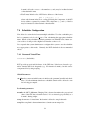
Xen offers a boot time choice between multiple schedulers. To select a scheduler, pass
the boot parameter sched=sched name to Xen, substituting the appropriate scheduler
name. Details of the schedulers and their parameters are included below; future versions of the tools will provide a higher-level interface to these tools.
It is expected that system administrators configure their system to use the scheduler
most appropriate to their needs. Currently, the BVT scheduler is the recommended
choice.
7.4.1
Borrowed Virtual Time
sched=bvt (the default)
BVT provides proportional fair shares of the CPU time. It has been observed to penalise domains that block frequently (e.g. I/O intensive domains), but this can be
compensated for by using warping.
Global Parameters
ctx allow the context switch allowance is similar to the ‘quantum’ in traditional schedulers. It is the minimum time that a scheduled domain will be allowed to run
before being pre-empted.
Per-domain parameters
mcuadv the MCU (Minimum Charging Unit) advance determines the proportional
share of the CPU that a domain receives. It is set inversely proportionally to a
domain’s sharing weight.
warp the amount of ‘virtual time’ the domain is allowed to warp backwards
warpl the warp limit is the maximum time a domain can run warped for
34
warpu the unwarp requirement is the minimum time a domain must run unwarped for
before it can warp again
7.4.2
Atropos
sched=atropos
Atropos is a soft real time scheduler. It provides guarantees about absolute shares
of the CPU, with a facility for sharing slack CPU time on a best-effort basis. It can
provide timeliness guarantees for latency-sensitive domains.
Every domain has an associated period and slice. The domain should receive ‘slice’
nanoseconds every ‘period’ nanoseconds. This allows the administrator to configure
both the absolute share of the CPU a domain receives and the frequency with which it
is scheduled.
Note: don’t overcommit the CPU when using Atropos (i.e. don’t reserve more CPU
than is available — the utilisation should be kept to slightly less than 100% in order to
ensure predictable behaviour).
Per-domain parameters
period The regular time interval during which a domain is guaranteed to receive its
allocation of CPU time.
slice The length of time per period that a domain is guaranteed to run for (in the
absence of voluntary yielding of the CPU).
latency The latency hint is used to control how soon after waking up a domain it
should be scheduled.
xtratime This is a boolean flag that specifies whether a domain should be allowed a
share of the system slack time.
7.4.3
Round Robin
sched=rrobin
The round robin scheduler is included as a simple demonstration of Xen’s internal
scheduler API. It is not intended for production use.
35
Global Parameters
rr slice The maximum time each domain runs before the next scheduling decision is
made.
36
Chapter 8
Build, Boot and Debug options
This chapter describes the build- and boot-time options which may be used to tailor
your Xen system.
8.1 Xen Build Options
Xen provides a number of build-time options which should be set as environment
variables or passed on make’s command-line.
verbose=y Enable debugging messages when Xen detects an unexpected condition.
Also enables console output from all domains.
debug=y Enable debug assertions. Implies verbose=y. (Primarily useful for tracing
bugs in Xen).
debugger=y Enable the in-Xen debugger. This can be used to debug Xen, guest OSes,
and applications.
perfc=y Enable performance counters for significant events within Xen. The counts
can be reset or displayed on Xen’s console via console control keys.
trace=y Enable per-cpu trace buffers which log a range of events within Xen for collection by control software.
8.2 Xen Boot Options
These options are used to configure Xen’s behaviour at runtime. They should be appended to Xen’s command line, either manually or by editing grub.conf.
noreboot Don’t reboot the machine automatically on errors. This is useful to catch
debug output if you aren’t catching console messages via the serial line.
nosmp Disable SMP support. This option is implied by ‘ignorebiostables’.
37
watchdog Enable NMI watchdog which can report certain failures.
noirqbalance Disable software IRQ balancing and affinity. This can be used on systems such as Dell 1850/2850 that have workarounds in hardware for IRQ-routing
issues.
badpage=<page number>,<page number>, . . . Specify a list of pages not to be
allocated for use because they contain bad bytes. For example, if your memory
tester says that byte 0x12345678 is bad, you would place ‘badpage=0x12345’
on Xen’s command line.
com1=<baud>,DPS,<io base>,<irq> com2=<baud>,DPS,<io base>,<irq>
Xen supports up to two 16550-compatible serial ports. For example: ‘com1=9600,
8n1, 0x408, 5’ maps COM1 to a 9600-baud port, 8 data bits, no parity, 1 stop
bit, I/O port base 0x408, IRQ 5. If some configuration options are standard
(e.g., I/O base and IRQ), then only a prefix of the full configuration string need
be specified. If the baud rate is pre-configured (e.g., by the bootloader) then you
can specify ‘auto’ in place of a numeric baud rate.
console=<specifier list> Specify the destination for Xen console I/O. This is a commaseparated list of, for example:
vga use VGA console and allow keyboard input
com1 use serial port com1
com2H use serial port com2. Transmitted chars will have the MSB set. Received chars must have MSB set.
com2L use serial port com2. Transmitted chars will have the MSB cleared.
Received chars must have MSB cleared.
The latter two examples allow a single port to be shared by two subsystems
(e.g. console and debugger). Sharing is controlled by MSB of each transmitted/received character. [NB. Default for this option is ‘com1,vga’]
sync console Force synchronous console output. This is useful if you system fails
unexpectedly before it has sent all available output to the console. In most cases
Xen will automatically enter synchronous mode when an exceptional event occurs, but this option provides a manual fallback.
conswitch=<switch-char><auto-switch-char> Specify how to switch serial-console
input between Xen and DOM0. The required sequence is CTRL-<switch-char>
pressed three times. Specifying the backtick character disables switching. The
<auto-switch-char> specifies whether Xen should auto-switch input to DOM0
when it boots — if it is ‘x’ then auto-switching is disabled. Any other value, or
omitting the character, enables auto-switching. [NB. default switch-char is ‘a’]
nmi=xxx Specify what to do with an NMI parity or I/O error.
‘nmi=fatal’: Xen prints a diagnostic and then hangs.
38
‘nmi=dom0’: Inform DOM0 of the NMI.
‘nmi=ignore’: Ignore the NMI.
mem=xxx Set the physical RAM address limit. Any RAM appearing beyond this
physical address in the memory map will be ignored. This parameter may be
specified with a B, K, M or G suffix, representing bytes, kilobytes, megabytes
and gigabytes respectively. The default unit, if no suffix is specified, is bytes.
dom0 mem=xxx Set the amount of memory to be allocated to domain0. In Xen 3.x
the parameter may be specified with a B, K, M or G suffix, representing bytes,
kilobytes, megabytes and gigabytes respectively; if no suffix is specified, the
parameter defaults to kilobytes. In previous versions of Xen, suffixes were not
supported and the value is always interpreted as kilobytes.
tbuf size=xxx Set the size of the per-cpu trace buffers, in pages (default 1). Note that
the trace buffers are only enabled in debug builds. Most users can ignore this
feature completely.
sched=xxx Select the CPU scheduler Xen should use. The current possibilities are
‘bvt’ (default), ‘atropos’ and ‘rrobin’. For more information see Section 7.4.
apic verbosity=debug,verbose Print more detailed information about local APIC
and IOAPIC configuration.
lapic Force use of local APIC even when left disabled by uniprocessor BIOS.
nolapic Ignore local APIC in a uniprocessor system, even if enabled by the BIOS.
apic=bigsmp,default,es7000,summit Specify NUMA platform. This can usually be
probed automatically.
In addition, the following options may be specified on the Xen command line. Since
domain 0 shares responsibility for booting the platform, Xen will automatically propagate these options to its command line. These options are taken from Linux’s commandline syntax with unchanged semantics.
acpi=off,force,strict,ht,noirq,. . . Modify how Xen (and domain 0) parses the BIOS
ACPI tables.
acpi skip timer override Instruct Xen (and domain 0) to ignore timer-interrupt override instructions specified by the BIOS ACPI tables.
noapic Instruct Xen (and domain 0) to ignore any IOAPICs that are present in the
system, and instead continue to use the legacy PIC.
8.3 XenLinux Boot Options
In addition to the standard Linux kernel boot options, we support:
39
xencons=xxx Specify the device node to which the Xen virtual console driver is attached. The following options are supported:
‘xencons=off’: disable virtual console
‘xencons=tty’: attach console to /dev/tty1 (tty0 at boot-time)
‘xencons=ttyS’: attach console to /dev/ttyS0
The default is ttyS for dom0 and tty for all other domains.
8.4 Debugging
Xen has a set of debugging features that can be useful to try and figure out what’s
going on. Hit ’h’ on the serial line (if you specified a baud rate on the Xen command
line) or ScrollLock-h on the keyboard to get a list of supported commands.
If you have a crash you’ll likely get a crash dump containing an EIP (PC) which, along
with an objdump -d image, can be useful in figuring out what’s happened. Debug
a Xenlinux image just as you would any other Linux kernel.
40
Chapter 9
Further Support
If you have questions that are not answered by this manual, the sources of information listed below may be of interest to you. Note that bug reports, suggestions and
contributions related to the software (or the documentation) should be sent to the Xen
developers’ mailing list (address below).
9.1 Other Documentation
For developers interested in porting operating systems to Xen, the Xen Interface Manual is distributed in the docs/ directory of the Xen source distribution.
9.2 Online References
The official Xen web site is found at:
http://www.cl.cam.ac.uk/netos/xen/
This contains links to the latest versions of all on-line documentation (including the
lateset version of the FAQ).
9.3 Mailing Lists
There are currently four official Xen mailing lists:
[email protected] Used for development discussions and bug reports.
Subscribe at:
http://lists.xensource.com/xen-devel
[email protected] Used for installation and usage discussions and re-
41
quests for help. Subscribe at:
http://lists.xensource.com/xen-users
[email protected] Used for announcements only. Subscribe at:
http://lists.xensource.com/xen-announce
[email protected] Changelog feed from the unstable and 2.0 trees
- developer oriented. Subscribe at:
http://lists.xensource.com/xen-changelog
42
Appendix A
Installing Xen / XenLinux on
Debian
The Debian project provides a tool called debootstrap which allows a base Debian
system to be installed into a filesystem without requiring the host system to have any
Debian-specific software (such as apt.
Here’s some info how to install Debian 3.1 (Sarge) for an unprivileged Xen domain:
1. Set up Xen 2.0 and test that it’s working, as described earlier in this manual.
2. Create disk images for root-fs and swap (alternatively, you might create dedicated partitions, LVM logical volumes, etc. if that suits your setup).
dd if=/dev/zero of=/path/diskimage bs=1024k count=size_in_mbytes
dd if=/dev/zero of=/path/swapimage bs=1024k count=size_in_mbytes
If you’re going to use this filesystem / disk image only as a ‘template’ for other
vm disk images, something like 300 MB should be enough.. (of course it depends what kind of packages you are planning to install to the template)
3. Create the filesystem and initialise the swap image
mkfs.ext3 /path/diskimage
mkswap /path/swapimage
4. Mount the disk image for installation
mount -o loop /path/diskimage /mnt/disk
5. Install debootstrap
Make sure you have debootstrap installed on the host. If you are running Debian
sarge (3.1 / testing) or unstable you can install it by running apt-get install
debootstrap. Otherwise, it can be downloaded from the Debian project website.
6. Install Debian base to the disk image:
debootstrap --arch i386 sarge /mnt/disk
43
\
http://ftp.<countrycode>.debian.org/debian
You can use any other Debian http/ftp mirror you want.
7. When debootstrap completes successfully, modify settings:
chroot /mnt/disk /bin/bash
Edit the following files using vi or nano and make needed changes:
/etc/hostname
/etc/hosts
/etc/resolv.conf
/etc/network/interfaces
/etc/networks
Set up access to the services, edit:
/etc/hosts.deny
/etc/hosts.allow
/etc/inetd.conf
Add Debian mirror to:
/etc/apt/sources.list
Create fstab like this:
/dev/sda1
/dev/sda2
proc
/
none
/proc
ext3
swap
proc
errors=remount-ro
sw
defaults
0
0
0
1
0
0
Logout
8. Unmount the disk image
umount /mnt/disk
9. Create Xen 2.0 configuration file for the new domain. You can use the exampleconfigurations coming with Xen as a template.
Make sure you have the following set up:
disk = [ ’file:/path/diskimage,sda1,w’, ’file:/path/swapimage,sda2,w’ ]
root = "/dev/sda1 ro"
10. Start the new domain
xm create -f domain_config_file
Check that the new domain is running:
xm list
11. Attach to the console of the new domain. You should see something like this
when starting the new domain:
Started domain testdomain2, console on port 9626
There you can see the ID of the console: 26. You can also list the consoles with
xm consoles (ID is the last two digits of the port number.)
44
Attach to the console:
xm console 26
or by telnetting to the port 9626 of localhost (the xm console program works
better).
12. Log in and run base-config
As a default there’s no password for the root.
Check that everything looks OK, and the system started without errors. Check
that the swap is active, and the network settings are correct.
Run /usr/sbin/base-config to set up the Debian settings.
Set up the password for root using passwd.
13. Done. You can exit the console by pressing Ctrl + ]
If you need to create new domains, you can just copy the contents of the ‘template’image to the new disk images, either by mounting the template and the new image, and
using cp -a or tar or by simply copying the image file. Once this is done, modify
the image-specific settings (hostname, network settings, etc).
45
46
Appendix B
Installing Xen / XenLinux on
Redhat or Fedora Core
When using Xen / XenLinux on a standard Linux distribution there are a couple of
things to watch out for:
Note that, because domains¿0 don’t have any privileged access at all, certain commands in the default boot sequence will fail e.g. attempts to update the hwclock,
change the console font, update the keytable map, start apmd (power management),
or gpm (mouse cursor). Either ignore the errors (they should be harmless), or remove them from the startup scripts. Deleting the following links are a good start:
S24pcmcia, S09isdn, S17keytable, S26apmd, S85gpm.
If you want to use a single root file system that works cleanly for both domain 0 and
unprivileged domains, a useful trick is to use different ’init’ run levels. For example,
use run level 3 for domain 0, and run level 4 for other domains. This enables different
startup scripts to be run in depending on the run level number passed on the kernel
command line.
If using NFS root files systems mounted either from an external server or from domain0 there are a couple of other gotchas. The default /etc/sysconfig/iptables
rules block NFS, so part way through the boot sequence things will suddenly go dead.
If you’re planning on having a separate NFS /usr partition, the RH9 boot scripts
don’t make life easy - they attempt to mount NFS file systems way to late in the boot
process. The easiest way I found to do this was to have a /linuxrc script run ahead
of /sbin/init that mounts /usr:
#!/bin/bash
/sbin/ipconfig lo 127.0.0.1
/sbin/portmap
/bin/mount /usr
exec /sbin/init "$@" <>/dev/console 2>&1
47
The one slight complication with the above is that /sbin/portmap is dynamically
linked against /usr/lib/libwrap.so.0 Since this is in /usr, it won’t work. This
can be solved by copying the file (and link) below the /usr mount point, and just let the
file be ’covered’ when the mount happens.
In some installations, where a shared read-only /usr is being used, it may be desirable
to move other large directories over into the read-only /usr. For example, you might
replace /bin, /lib and /sbin with links into /usr/root/bin, /usr/root/lib
and /usr/root/sbin respectively. This creates other problems for running the /linuxrc
script, requiring bash, portmap, mount, ifconfig, and a handful of other shared libraries
to be copied below the mount point — a simple statically-linked C program would
solve this problem.
48
Appendix C
Glossary of Terms
Atropos One of the CPU schedulers provided by Xen. Atropos provides domains
with absolute shares of the CPU, with timeliness guarantees and a mechanism
for sharing out ‘slack time’.
BVT The BVT scheduler is used to give proportional fair shares of the CPU to domains.
Exokernel A minimal piece of privileged code, similar to a microkernel but providing a more ‘hardware-like’ interface to the tasks it manages. This is similar to
a paravirtualising VMM like Xen but was designed as a new operating system
structure, rather than specifically to run multiple conventional OSs.
Domain A domain is the execution context that contains a running virtual machine.
The relationship between virtual machines and domains on Xen is similar to
that between programs and processes in an operating system: a virtual machine
is a persistent entity that resides on disk (somewhat like a program). When it is
loaded for execution, it runs in a domain. Each domain has a domain ID.
Domain 0 The first domain to be started on a Xen machine. Domain 0 is responsible
for managing the system.
Domain ID A unique identifier for a domain, analogous to a process ID in an operating system.
Full virtualisation An approach to virtualisation which requires no modifications to
the hosted operating system, providing the illusion of a complete system of real
hardware devices.
Hypervisor An alternative term for VMM, used because it means ‘beyond supervisor’, since it is responsible for managing multiple ‘supervisor’ kernels.
Live migration A technique for moving a running virtual machine to another physical
host, without stopping it or the services running on it.
Microkernel A small base of code running at the highest hardware privilege level. A
49
microkernel is responsible for sharing CPU and memory (and sometimes other
devices) between less privileged tasks running on the system. This is similar to a
VMM, particularly a paravirtualising VMM but typically addressing a different
problem space and providing different kind of interface.
NetBSD/Xen A port of NetBSD to the Xen architecture.
Paravirtualisation An approach to virtualisation which requires modifications to the
operating system in order to run in a virtual machine. Xen uses paravirtualisation
but preserves binary compatibility for user space applications.
Shadow pagetables A technique for hiding the layout of machine memory from a
virtual machine’s operating system. Used in some VMMs to provide the illusion
of contiguous physical memory, in Xen this is used during live migration.
Virtual Machine The environment in which a hosted operating system runs, providing the abstraction of a dedicated machine. A virtual machine may be identical
to the underlying hardware (as in full virtualisation, or it may differ, as in paravirtualisation.
VMM Virtual Machine Monitor - the software that allows multiple virtual machines
to be multiplexed on a single physical machine.
Xen Xen is a paravirtualising virtual machine monitor, developed primarily by the
Systems Research Group at the University of Cambridge Computer Laboratory.
XenLinux Official name for the port of the Linux kernel that runs on Xen.
50