1
This limit can be statically increased by using the max loop module parameter if CONFIG BLK DEV LOOP is compiled as a module in the dom0 kernel, or by using the
max loop=n boot option if CONFIG BLK DEV LOOP is compiled directly into the
dom0 kernel.
5.3 Using LVM-backed VBDs
A particularly appealing solution is to use LVM volumes as backing for domain filesystems since this allows dynamic growing/shrinking of volumes as well as snapshot
and other features.
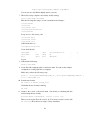
To initialise a partition to support LVM volumes:
# pvcreate /dev/sda10
Create a volume group named ‘vg’ on the physical partition:
# vgcreate vg /dev/sda10
Create a logical volume of size 4GB named ‘myvmdisk1’:
# lvcreate -L4096M -n myvmdisk1 vg
You should now see that you have a /dev/vg/myvmdisk1 Make a filesystem, mount
it and populate it, e.g.:
#
#
#
#
mkfs -t ext3 /dev/vg/myvmdisk1
mount /dev/vg/myvmdisk1 /mnt
cp -ax / /mnt
umount /mnt
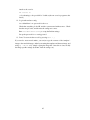
Now configure your VM with the following disk configuration:
disk = [ ’phy:vg/myvmdisk1,sda1,w’ ]
LVM enables you to grow the size of logical volumes, but you’ll need to resize the
corresponding file system to make use of the new space. Some file systems (e.g. ext3)
now support on-line resize. See the LVM manuals for more details.
You can also use LVM for creating copy-on-write clones of LVM volumes (known
as writable persistent snapshots in LVM terminology). This facility is new in Linux
2.6.8, so isn’t as stable as one might hope. In particular, using lots of CoW LVM disks
consumes a lot of dom0 memory, and error conditions such as running out of disk
space are not handled well. Hopefully this will improve in future.
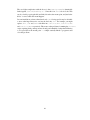
To create two copy-on-write clone of the above file system you would use the following
commands:
# lvcreate -s -L1024M -n myclonedisk1 /dev/vg/myvmdisk1
# lvcreate -s -L1024M -n myclonedisk2 /dev/vg/myvmdisk1
23