1
Crestron C2N-MMS
Professional Multimedia Switch
6.
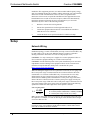
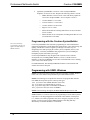
Click the
button to browse for a new compiled (.spz) program.
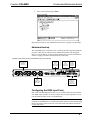
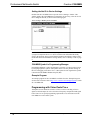
“Open” Window
7.
Select a file and click Open. When the “SIMPL Program” window re-opens
click Send.
Firmware Upgrade
To take advantage of all the device features, it is important that the unit contains the
latest firmware available. Please check the Crestron website for the latest version of
firmware. Not every product has a firmware upgrade, but as Crestron improves
functions, adds new features, and extends the capabilities of its products, firmware
upgrades are posted. To upgrade the firmware, complete the following steps.
1.
Verify that the procedure for “Establishing Communications” that begins on
page 19 has been performed.
2.
Open Crestron Toolbox.
3.
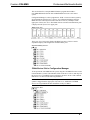
Open the Network Device Tree (the firmware upgrade function is also
available in the SMW Program Tree window).
4.
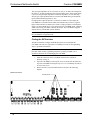
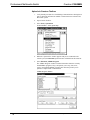
Right-click on the device and select Functions | Firmware.
Network Device Tree Window – Right-Click Sub Menu
5.
Operations Guide – DOC. 6374
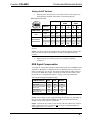
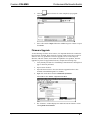
The “Firmware” window displays the model and current firmware version.
Click Upload New Firmware.
Professional Multimedia Switch: C2N-MMS • 23