1
PAGE 7 OF 7
To Send Non-printable Characters Using Com Test
You can send non-printable control characters in a control string by pressing the Alt key and while
holding it down, enter the 3 digit character code using the separate numerical keypad on the
computer. For example, Esc=27. Press and hold Alt, then press 0 2 7 then release Alt.
For example: The Command for the 232SDA12 digital output is !0SO and bits. Hold Alt and
enter 0 0 1 or 0 0 2 or 0 0 4 to set each bit high. Enter 0 1 6 or 0 6 4 to set the 3 bits low.
ComTest cannot send the character value of zero.
Defining Strings To Send Using F1 to F12 Keys
1.
2.
3.
4.
Select Options, Strings, then under Key, select the F1 to F12 radio button.
Highlight and Delete the default String.
Enter the characters to be sent.
Select another key to define or OK to close the Window.
Press the F1-F12 key to send the characters.
Observe the response.
Setting RTS or DTR High or Low
Select Options on the menu bar.
Select RTS and/or DTR to set Hi. Select to unchecked mode to set Lo.
Exit
When testing is completed, close the program.
Removing Com Test
Close the program.
Select Settings, Control Panel, Add/Remove Programs, Select ComTest.
ComTest will be removed from the Program items.
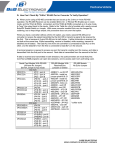
4-WIRE RS-485 TESTING
LOOPBACK CHECKS