1
vCloud Director User's Guide
7
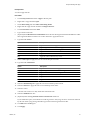
Select the vApp, right-click, and select Start.
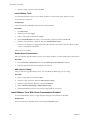
Install VMware Tools
You must install VMware Tools in your virtual machines to customize the guest operation system.
You are at least a vApp User.
Prerequisites
Guest customization is disabled on the relevant virtual machines.
Procedure
1
Click My Cloud.
2
In the left pane, click vApps.
3
Select a vApp, right-click, and select Open.
4
On the Virtual Machines tab, select a virtual machine, right-click, and select Power On.
5
Select the virtual machine, right-click, and select Install VMware Tools.
VMware tools installation is triggered or Tools CD is mounted. You need to open the virtual machine
console to complete the installation.
VMware Tools is installed.
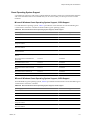
Enable Guest Customization
After you install or upgrade VMware Tools in your virtual machines, you must enable guest customization.
Procedure
1
On the Guest OS Customization tab, select the Enable guest customization check box.
2
Select the other check boxes in the dialog box as relevant.
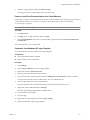
Add vApp to Catalog
After you install or upgrade VMware Tools, you can add the updated vApp to your catalog.
Procedure
1
Select a vApp, right-click, and select Stop.
2
Select the vApp, right-click, and select Add vApp to Catalog.
3
Select the vApp template, right-click, and select Properties.
4
Select Customize VM Settings or Make Identical Copy.
5
(Optional) Delete the previous version of the vApp template, if necessary.
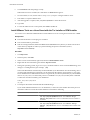
Install VMware Tools With Guest Customization Disabled
You can install VMware Tools in a vApp template when guest customization is disabled.
Prerequisites
Guest customization is disabled on the virtual machine Properties page.
106
VMware, Inc.