1
Section 1 — Controls and Basic Functions
TS-12 Musician’s Manual
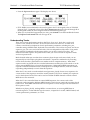
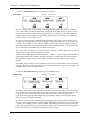
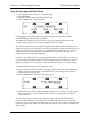
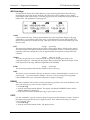
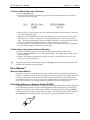
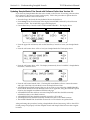
To select and modify another parameter on the same page, press the soft button above or below
its name. That parameter will now be underlined, and its value can be adjusted as before, with
the Data Entry Slider and the Up/Down Arrow buttons.
If you select another page, change some parameter on that page, and then return to the System
page, the parameter you had last selected will still be underlined. The TS-12 always
“remembers” which parameter was last selected on a given page (including each sub-page).
Be sure that the parameter you want to edit is selected before moving the Data Entry Slider
and/or the Up/Down Arrow buttons. There is always a parameter selected on any given
programming page.
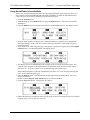
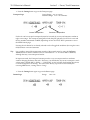
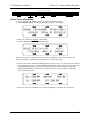
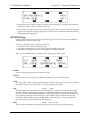
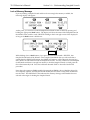
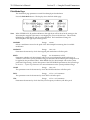
Sometimes the soft buttons are used to select values in “multi-field” parameters. For instance, in
Sounds or Presets mode, press the Tuning button. Press the soft button beneath the Transpose
parameter for any sound. Notice that the first field of the Transpose parameter (the Octave field)
is selected. Press the same soft button again. This selects the Semitone field of the parameter.
Successive presses of the soft button closest to the values moves the cursor from one field to
another.
Performance Controllers
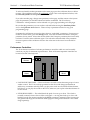
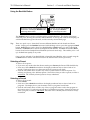
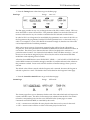
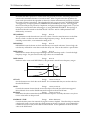
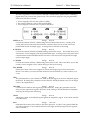
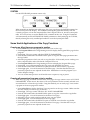
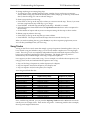
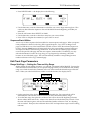
The TS-12 features a number of real-time performance controllers which are used to modify
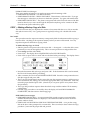
sounds as you play for maximum expressiveness. Three of the most important controllers are
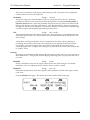
located to the left of the keyboard:
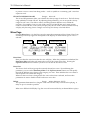
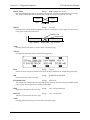
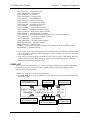
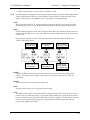
Patch Select
Buttons
Pitch Bend
Wheel
Modulation
Wheel
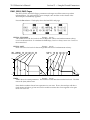
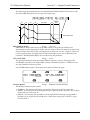
• PATCH SELECT BUTTONS — These two buttons are used to select alternate groups of voices
within a sound. The TS-12 can be programmed so that the sound changes (sometimes in
subtle ways, sometimes radically) when you play notes with one or both Patch Select buttons
held down As you play the sounds in the TS-12, make sure you explore what these buttons do
to each sound.
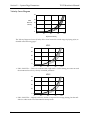
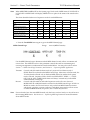
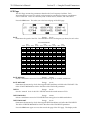
• PITCH BEND WHEEL — This wheel bends the pitch of a note up or down. The wheel is
normally centered, where it has no effect on the pitch — moving the wheel up or down will
bend the note by the amount specified in the BEND parameters contained on the System page
(for global bend range) and on the Pitch Mods page (for setting each individual voice’s bend
range separately).
6