1
7211 DigitalManual Update
10/4/02
5:12 pm
Page 1
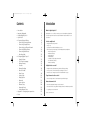
Contents
•
•
•
•
•
Introduction
Important Safeguards
Installing Digital Sprite 2
Quick Install
Connecting External Devices
- Connecting Telemetry Cameras
- Connecting Storage Devices
- Connecting to an Ethernet Network
- Connecting 485-bus Devices
- Connecting Audio Devices
- Recording Audio
• Configuring Digital Sprite 2
- Using the Menus
- Time, Date & Language
- Camera Viewing
- Schedule
- Camera Recording
- Record Schedule
- Alarm Setup
- Activity Setup
- Display Options
- Passwords
- System Options
- Camera Setup
- Alarm and Presets
- Activity Camera Setup
• Appendix 1 - Configuring for tape archive
• Notes
Introduction
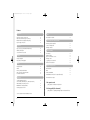
1
3
4
5
6
6
7
9
10
12
12
13
13
14
15
16
16
17
19
20
21
21
22
24
25
26
27
30
What is Digital Sprite 2?
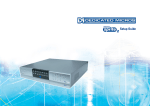
Digital Sprite 2 is a cost effective and easy to use video multiplexer, digital video
recorder, single channel audio recorder, and network video transmitter in a one
box solution.
A video multiplexer?
•
•
•
•
Designed with security in mind
Easy to use
Operates like a traditional multiplexer, not a PC
All the feature you would expect from a Dedicated Micros multiplexer:
- Main and Spot monitor
- Multiscreen displays
- Activity detection
- Alarm handling
- Schedules for day, night, and weekend
- User defined record rates
- 485-bus networking
A digital video recorder?
• Playback and record simultaneously, without affecting recording
• 31 days or more of 24 hour time-lapse recordings in one box*.
• Instant access to images recorded on the hard disk with no tapes.
Single channel audio recorder?
• Record a single channel of audio stream along with the images.
Network transmission?
• View live and playback images across the network.
• No extra software to buy, Network Viewing software for Windows™ provided.
• Copy images across the network
*Refers to the 320GB model
1