1
7211 DigitalManual Update
10/4/02
5:12 pm
Page 19
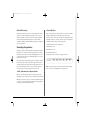
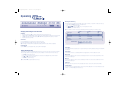
Alarm Setup
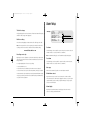
Total video storage
Alarm SetUp
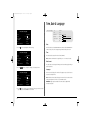
The figure displayed shows the total amount of internal and external disk capacity
available for video storage in GB (Gigabytes).
Earliest recording
Pre-alarm
Post-alarm
Auto copy
Global alarm contact
Alarm relay (R1)
Alarm display
Alarm buzzer
Camera fail buzzer
00 min 00 sec
00 min 02 sec
No
Off
Close
No
No
No
Yes
Direct, Module XX Contact XX
Open, Momentary open, Momentary close
Yes
Yes
Yes
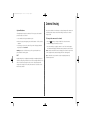
The earliest recording displays the date and time of the first image on the disk.
Note: If an event partition is set (in the System Options menu) then the earliest
recording could be an event that is older than the first standard recording.
www.dedicatedmicros.com
Recording events only
Digital Sprite 2 can be configured to record cameras with activity or alarm events
only, which can increase the amount of time the hard disk can record for before
being overwritten.
To configure Digital Sprite 2 for event only recording:
1. Set the Standard PPS to 00.
2. Set the Event PPS to the desired record rate when an event is detected.
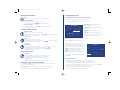
Pre-alarm
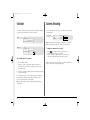
Pre-alarm images can be recorded for a pre-set time prior to an alarm. Select the
number of minutes or seconds (30 min 59 sec maximum).
Note: Pre-Alarm Recording only occurs if standard recording is taking place.
Post-alarm
Post-alarm images can be recorded for a pre-set time after an alarm. Select the
number of minutes or seconds (30 min 59 sec maximum).
Auto copy
3. Select the ‘Events active’ option as either Both, Alarms, or Activity as required.
Alarms can be automatically copied to an external Zip® or Jaz® disk.
4. Select ‘Event mode’ option as Exclusive to record only cameras with alarms or activity.
Global alarm contact
Only activity or alarm events will now be recorded. Note that pre-alarm/activity is
not possible in this configuration.
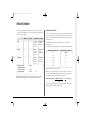
A global alarm contact is used to force all cameras into an alarm condition.
This could be used if one alarm needs to trigger all cameras, or as a panic alarm
operated manually. Options are direct, using the AUX input, or using a specific
contact on an alarm module.
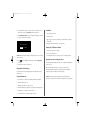
Alarm display
By default, the last alarmed camera is not displayed on the main monitor.
Select ‘Yes’ to display cameras with alarms.
19