1
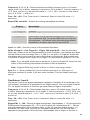
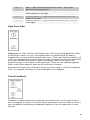
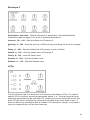
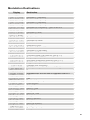
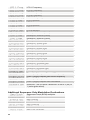
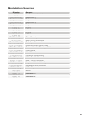
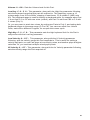
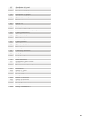
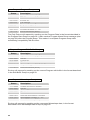
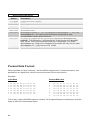
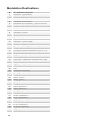
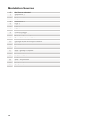
Destination 1: see table – Selects a modulation destination. See the Modulation
Destination table on page 41 for a list of possible destinations.
Misc Parameters
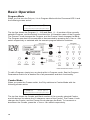
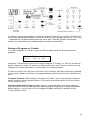
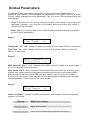
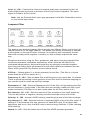
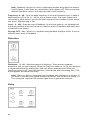
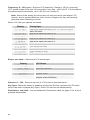
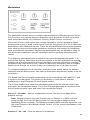
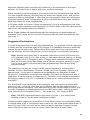
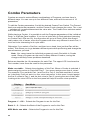
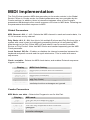
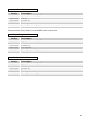
The Misc Parameters section lets you configure a variety of parameters not found
elsewhere. The parameter list is printed on the panel as seen above.
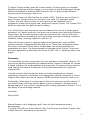
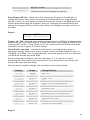
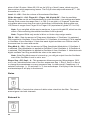
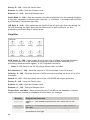
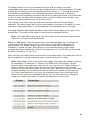
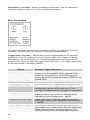
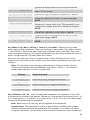
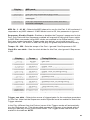
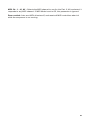
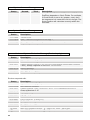
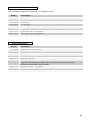
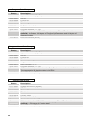
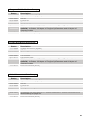
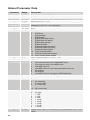
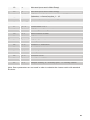
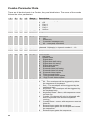
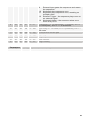
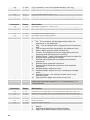
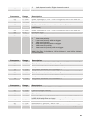
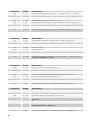
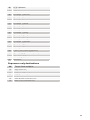
Trigger Select: see table – Selects the source of triggers/gates for the envelope
generators. In the Poly (different from the Evolver) some of the Trigger modes will
automatically turn the Sequencer on. This allows gated-sequence Programs to be
played without having to manually hit the START/STOP switch. The Trigger modes that
do this are marked in the table as AUTO.
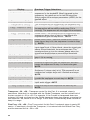
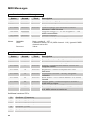
Display
Sequencer or Key
Sequencer Only
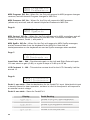
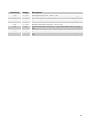
Envelope Trigger Selections
The envelopes will be triggered by either the
sequencer or the keyboard. When triggered by the
sequencer, the gates are on for half the step time.
Simply adjust the envelope parameters (ADSR) for the
desired effect.
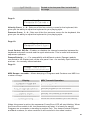
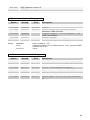
The envelopes will be triggered by only the sequencer.
Keyboard Only
The envelopes will be triggered by the keyboard only.
Key, Resets Seq
The envelopes will be triggered by the keyboard, and
the sequencer will be reset on every key (if it is
running). The sequencer will not trigger the envelopes.
Gated mode – the envelopes will be triggered by the
sequencer when a key is held; in other words the
keyboard will gate the sequencer. AUTO
Gated mode, reset – same as Gated mode, except
every time a key is hit, the sequencer is reset to step
1. AUTO
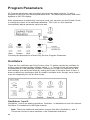
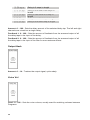
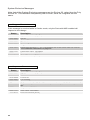
The envelopes are gated by the Left external audio
input signal level, in other words, when the signal gets
above a fixed threshold, the envelopes start. The
envelopes then go into the release phase when the
Key, Gates Seq
KeyGates Seq Rst
Ext Audio Input
34