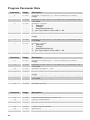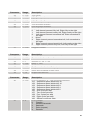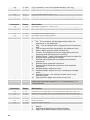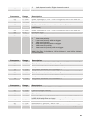
1
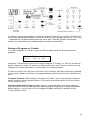
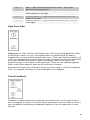
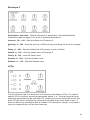
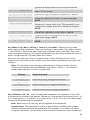
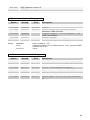
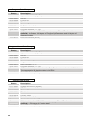
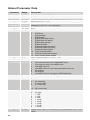
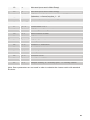
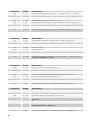
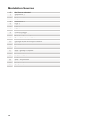
64trip
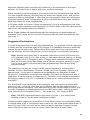
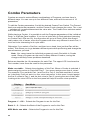
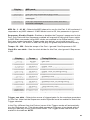
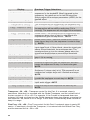
BPM x 24
Sixty-fourth note triplets
Programming a Sequence
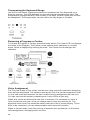
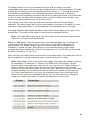
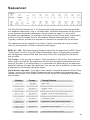
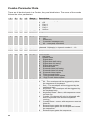
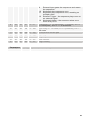
Each of the 16 steps in the sequence has its own knob, which can be set to a value
from 0-100. Turning a Step knob past 100 sets the step to “Reset.” Reset is useful for
creating a sequence of fewer than 16 steps. For example, if you want to create a four
step sequence, set step 5 to Reset.
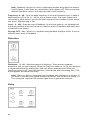
In addition, in Sequence 1 you can program rests by setting a step value to “Rest",
just past Reset. On that step, no trigger is sent to the envelopes. Since Sequence 1
controls rests for Sequences 2–4 as well, the rests will end up in different places on
other sequences if they are a different length.
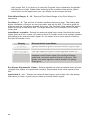
If you want all sequences to be the same length, make sure that the reset step is the
same for all four sequences. If however, each sequence is a different length, the rests
and clock swing settings will follow sequence 1. In other words, the envelopes are
always triggered from one sequence and can’t be separately handled by each of the 4
sequences.
Using rests, resets, and different Clock Divides (half swing, swing, and so on) you can
generate very complex sequences.
To program a sequence:
1.
Select the sequence you want to program by pressing the appropriate
switch, 1–4.
2.
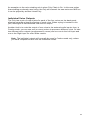
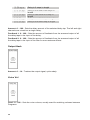
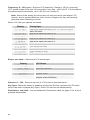
Select the destination for the sequence using the Destination knob. For
example, to generate a sequence of notes, select OscAllFreq.
Note: When a sequence is routed to oscillator frequency, each knob increment
equals half of a semitone. The LCD display will show the relative note value, with
a “+” after it to show when at a half-semitone step.
3.
Press the Reset switch to reset the sequence to Step 1.
4.
Turn the Step 1 knob to the desired value. If the sequencer is stopped, each
time you turn a Step knob, the envelopes are triggered, allowing you to hear
the notes (or other modulation) generated by the step value.
5.
Repeat for each subsequent step in the sequence.
6.
Press the START/STOP switch to start the sequence.
7.
Press the START/STOP switch again to stop the sequence.
Note: Pressing the RESET switch resets the sequencer to step 1 whether or not it
is running. The RESET switch also acts as an all-notes-off, and resets all
controllers if pressed while the sequencer is not running.
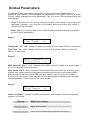
An alternate way to program a sequence is to use the keyboard. Hit the WRITE switch,
then hit START/STOP – you are now in sequence record mode. Simply hit the keys you
want to record and the sequencer will automatically increment to the next step. It will
keep looping from 16 to 1 if you keep hitting notes. You can hit any of the other
38