1
MAIN MENU
CUE
ELR Convenience/Personalization Guide
CUE
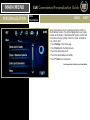
System
Portable
Audio Devices
Pair a
Phone
BACK
NEXT
Refer to your Owner Manual for important safety information about using the infotainment system while driving.
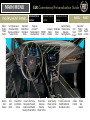
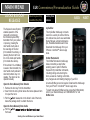
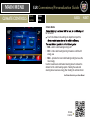
The touch screen in the center stack can be used to display and
adjust Infotainment, Vehicle Personalization and Climate Control
settings.
Use the controls on the center stack and the touch screen to
access the various menus and settings.
The center stack controls only need a light touch to operate
most gloves but may take longer to respond. Remove gloves
if necessary.
In the screen menus, a check mark next to an item indicates it
is selected/on.
Infotainment
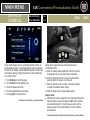
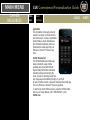
CUE uses a Bluetooth or USB connection to link a smartphone,
® to
the touch screen infotainment display. It offers a variety of
entertainment options, including streaming audio from the
Internet through a smartphone, and features enhanced handsfree voice control, music information and the ability to play
assistance, call 1-855-4-CUE-NOW (1-855-428-3669) or visit
www.cadillac.com/cue.
See your CUE Infotainment System Manual.