1
Engineering Manual
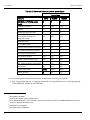
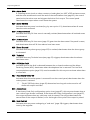
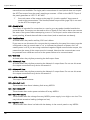
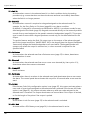
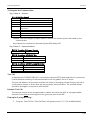
Settings Defaulted
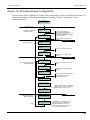
Engineer Menu 2-7
2-5-1-6-4 Next Service
Grade2 (Grade 3)
Default Value
00:00
2-5-1-6-5 Interval
180 Days
2-1-5-6-6 Call Back
Disabled
2-1-5-6-7 Walk Test Alerts
Disabled
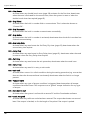
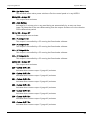
2-5-2 DigiCom
2-5-2-1 Comms Format
2-5-2-2 ARC Nos. 1, 2, 3
2-5-2-3 Account Nos. 1, 2, 3
2-5-2-4 Dialling Mode
2-5-2-5 Restores
2-5-2-6 CID/SIA Reports
2-5-2-7 FF Channels
2-5-2-8 Test Call
2-5-2-9 Line Fault
2-5-4 RS232 Options
2-5-4-1 Baud Rate
2-5-4-2 Remote Modem
2-6 Shunt Groups
Zones assigned
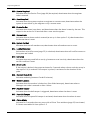
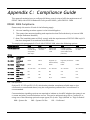
Settings Defaulted
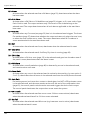
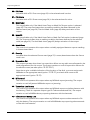
1-7 Custom Text
1-7-1 Reset Message
1-7-2 Location Text
1-7-3 Printer Title
Disabled
Blank
Blank
Consecutive
Enabled
Full
8 FF Channels
N/A
Enabled
1-7-4 Remote Reset Msg
1-7-5 Banner Text
1-7-6 Group Names
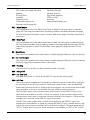
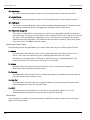
Grade2 (Grade 3)
Default Value
CALL ENGINEER
TO RESET SYSTEM
PANEL LOCATION
TEXT NOT SETUP
MENVIER
SECURITY MRANGE SYSTEM
RING A.R.C FOR
REM. RESET CODE
Blank
Blank
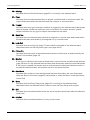
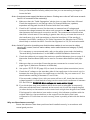
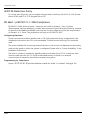
Notes:
1. The control unit ignores this timer until the user
accesses the menu. Once the user selects the menu
the display shows 4 hours and the timer starts from
there on.
2. For Grade 3 requirements, you may need to enable
the Masking attribute on specific zones.
3. There are various options that you can select and still
comply, for example: Final Exit,Exit Terminate, or Lock
Set.
4. 21 is the lowest algorithm that generates 6 digit reset
codes for Grade 3 requirements.
38400
Disabled
None
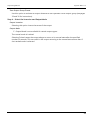
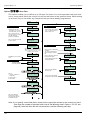
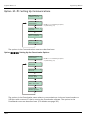
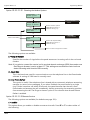
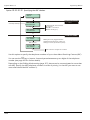
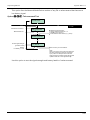
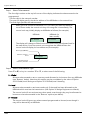
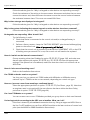
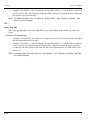
Option 2-7-3-9 – Built In Tests, Equipment, Test Display
Equipment
Test Display
9
[
8888888888888888
8888888888888888
]
Press [ when you have
finished
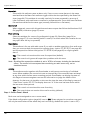
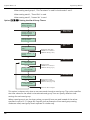
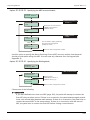
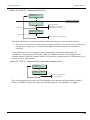
You can use this option to test the LCD on the keypad you are currently using. The "8" character
should be displayed in each location of the LCD.
135