1
WHEN PARKED
The screen is easily visible when deployed. Always close the screen when parking for an extended
period of time to avoid potential theft or extended exposure to direct sunlight.
PROPER USE
Do not touch the screen. Do not pull or hang from the fold down monitor door.
DISC HANDLING AND CLEANING
Always handle the discs by the edge. Never touch the shiny side of the discs, as this can impair proper playback.
Mount and dismount the discs with care not to damage or scratch the shiny side of the disc. This
will cause playback faults.
Do not expose the discs to direct sunlight.
After playing, store the disc back in its case.
To clean the disc, use a clean soft lint-free cloth and wipe the disc from the center out. Do not wipe
with a circular motion. Do not use any solvents.
REPAIRS
If the monitor stops working for any reason, discontinue use immediately and consult with your
retailer about any necessary repairs.
RADIO/TV TUNER USE
When the unit is used in conjunction with a Radio/TV tuner, please assure that the receiver is manufactured to receive television broadcast signals that are transmitted via terrestrial radio waves.
Reception quality will change and vary according to vehicle location and weather conditions.
INSTALLATION
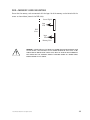
Avoid installing the monitor at a location, where it will be under direct sunlight or a hot air vent.
The operating temperature of the unit is from 32–120°F (0–50°C). Install the unit at a dry location,
where it is away from condensation.
Use only the correct size fasteners and cables during installation. Failure to do so may cause a
mechanical or electrical failure and create a fire hazard. The installation should be done by an
authorized Directed dealer.
NOTE: If the internal temperature of the vehicle is higher than the normal operating
temperature, please allow the vehicle to cool down (or warm up) prior to operating the unit.
© 2005 Directed Electronics—all rights reserved
7