1
INSTALLING THE 865 PRO POE EXTENDER KIT
The Enable-IT 865 PRO PoE Extenders have a distance restriction of 3,500ft (1,066m) over 2pair or more of Category rated 5e or better wiring from device extension to device extension.
Therefore a site survey of the wiring and installation planning are highly recommended. For
highest performance use CAT5e rated or higher spec for interlink wiring.
Perform an Out Of The Box Test (OOTBT)
We recommend that you perform a quick out of the box test to ensure the working order
of your Enable-IT 865 PRO PoE Extender units prior to installing. This will also serve to
familiarize you with how easy the process should be.
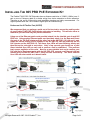
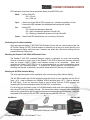
Using one of the Ethernet patch cords provided, attach it to the Interlink port of each 865
PRO unit. Using another Ethernet patch cord provided, attach it to the Data and Power
Out port of the 360 PoE Injector and the other end to the 865 PRO CO LAN port 1 port.
Attach the secure locking 12V DC adapter to the 865 PRO CO unit and power up the 360
PoE Injector and the 865 PRO CO. The Green Sync LEDs will start flickering slowly and
then fast as the units talk to each other. After a few seconds you should see a solid
Green Interlink Sync LED on each unit to confirm a link is established. This confirms
basic proper operation of the units. Next for a more detailed test and to confirm your
PoE end device Equipment works with the 865 PRO CPE, connect your Ethernet LAN and
remote device to the 865 PRO LAN 1 ports and test connectivity. The Green Interlink
Sync LED will pulse rapidly as it detects traffic.
All Rights Reserved © 1997 - 2015 Enable-IT™, Inc.
Page 2
! of 9
!