1
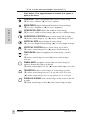
To exit a screen and save changes, press button [1].
V. LINEARITY CENTER (Vertical Linearity Center) adjusts the
vertical distortion at the center of the screen image. Press [▼] or [▲]
to adjust.
V. LINEARITY SYMMETRY (Vertical Linearity Symmetry) adjusts
the vertical distortion by balancing the vertical distortion between the
top and the bottom of the screen image. Press [▼] or [▲] to adjust.
NOTE: Both V. LINEARITY CENTER and V. LINEARITY SYMMETRY are advanced
controls to be used for set up and calibration only. To return these controls to
E
N
G
L
I
S
H
factory settings use MEMORY RECALL.
TILT rotates entire screen image.
[▼] rotates screen image counter-clockwise, [▲] rotates image
clockwise.
H. MOIRE reduces vertical interference patterns that appear as
ripples, waves, or unwanted background color textures. Interference
patterns of this type are most noticeable when viewing images having
closely spaced lines or finely detailed patterns
Press [▼] or [▲] to minimize interference patterns.
V. MOIRE reduces horizontal interference patterns that appear as
ripples, waves, or unwanted background color textures. Interference
patterns of this type are most noticeable when viewing images having
closely spaced lines or finely detailed patterns
Press [▼] or [▲] to minimize interference patterns.
DEGAUSS corrects irregular colors appearing around edges of
screen images. Degaussing removes build-up of magnetic fields that
can affect color purity and convergence.
Press button [2] to manually degauss monitor.
Important: After using Degauss wait at least 20 minutes before
using this feature again. Do not degauss repeatedly. Doing so can be
harmful to the monitor.
VIEWMETER® (Display Frequency) displays signal input coming
from your computer.
Press button [2] to select this feature.
ViewSonic EF70
Operation
9