1
6–2
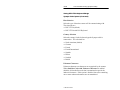
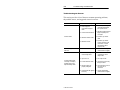
Troubleshooting and Maintenace
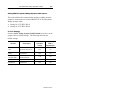
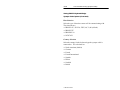
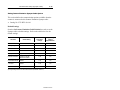
Troubleshooting the Scanner
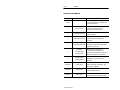
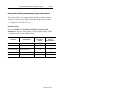
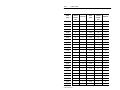
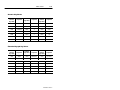
This section provides a list of the most common operating problems,
the probable causes, and suggested corrective actions.
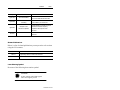
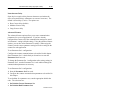
Problem
Probable Cause(s)
1. Power supply not
connected to Synapse
cable.
1. Make sure power supply is
connected and plugged
into a power source.
2. Scan beam has timed out.
2. Normal operation. Release
trigger completely and
scan again.
3. Defective interface cable.
3. If possible, try another
cable.
4. Defective scanner.
4. If possible, try another
scanner using the same
connections. Contact
Allen-Bradley Global
Support (GTS).
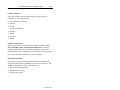
1. Defective scanner.
1. Contact Allen-Bradley
Global Technical Support.
1. Scanner not configured for
correct wedge cable.
1. Make sure scanner is
configured for correct
wedge cable.
2. Caps lock is on.
2. Turn Caps lock off.
3. Incorrect interface cable.
3. Check that you are using
the proper cable.
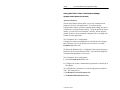
4. Decoder options not
properly configured.
4. Check all options such as
UPC-E to UPC-A
conversion.
5. Scanned data still appears
incorrectly.
5. Contact Allen-Bradley
Global Technical Support.
No Scan Beam.
Scan Beam Appears as a Dot
Not a line
Scanned data appears
incorrectly on a display
terminal when using a
keyboard wedge cable.
Publication 2755-6.4
Corrective Action