1
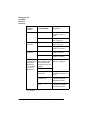
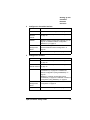
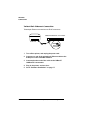
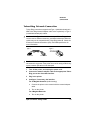
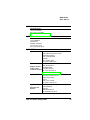
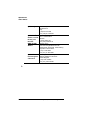
Setting up the CrownNet Interface Overview Setting up the CrownNet Interface—Overview 1 If necessary, install the CrownNet interface card. This might not be necessary because some printers ship standard with an Ethernet network interface. Check the printer documentation if you’re not sure. For instructions on installing a CrownNet interface card, refer to the “Printer Options” chapter or the Options manual of your printer documentation. 2 3 Connect the printer to the network. If you use... Follow these instructions... Ethernet “Ethernet Network Connection” on page 12. Token-Ring “Token-Ring Network Connection” on page 15. Install the appropriate CrownNet software. If you use this operating system... Install this software (on the CD-ROM)... Following these instructions*... AIX CrownAdmin 3 “Installing CrownAdmin 3 for AIX” on page 17 UNIX Host Software “Installing the UNIX Host Software” on page 30 DOS CrownAdmin “Installing CrownAdmin for DOS” on page 18 HP-UX CrownAdmin 3 “Installing CrownAdmin 3 for HP-UX” on page 19 UNIX Host Software “Installing the UNIX Host Software” on page 30 CrownAdmin 3 “Installing CrownAdmin 3 for Macintosh” on page 20 Macintosh QMS CrownNet Setup Guide 9