1
Software
Installation
where x is the letter of the CD-ROM drive, source is the
pathname of the drive/directory containing the installation
software, and destination is the full pathname of the directory in
which the software will be installed.
Note: See the main readme file on the CD-ROM for the exact
location of this file.
»
3
Go to “Interface Configuration” on page 32.
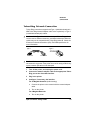
Installing CrownAdmin 3 for HP-UX
CrownAdmin 3 for HP-UX is a software utility that allows you to monitor and configure QMS printers and perform network operations on
printers connected to your network..
1
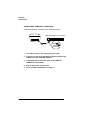
Insert the CD-ROM in the CD-ROM drive.
Note: Some CD-ROM drives require that the disk be placed in a
caddy before being inserted in the drive. Check your CD-ROM
documentation for information.
»
2
Log on the UNIX system as root.
3
Go to the root directory by typing
cd /↵
4
If you don't already have a CD-ROM mountpoint, create a
root-level directory by typing
mkdir /cdrom↵
5
Mount the CD-ROM file system by typing
mount -t cdfs device_filename /cdrom↵
where device_filename is the complete pathname of the device
file associated with the CD-ROM drive. If you're not sure of this
pathname, check your HP-UX documentation.
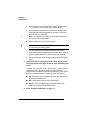
6
Verify that the CD-ROM file system has been mounted by listing the contents of the directory:
The directory contains several subdirectories, including unix.
QMS CrownNet Setup Guide
19