1
Network Communications Setup
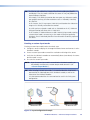
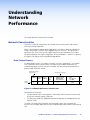
To establish a serial communication link…
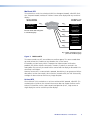
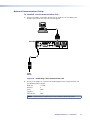
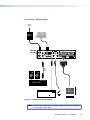
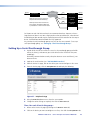
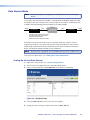
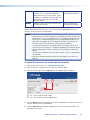
1. Using a null modem serial cable, connect the serial port of a PC or laptop to the
Remote serial port on the VNC 200 to be configured.
VNC 200
IN
TO PC
REMOTE
RS-232
IN
POWER
OVER LAN
OUT/
LOOP
12V DC
5A MAX
AUDIO
SPDIF
1 — LAN — 2
OUT/LOOP
DVI-I
IN
PSU
Power
Source
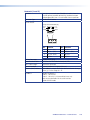
Figure 10. Establishing a Serial Communication Link
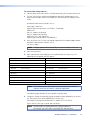
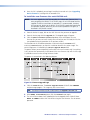
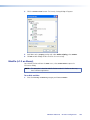
2. On the PC or laptop, run a terminal emulation program such as HyperTerminal with
the following comm settings:
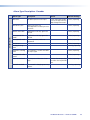
Baud rate:
Data bits:
Parity:
Stop bits:
Flow control:
115200
8
None
1
None
NOTE: HyperTerminal is supplied with most Windows® operating systems.
VN-Matrix 200 Series • Installation
15