1
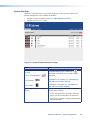
Fine-tuning a Source (Manual Overrides)
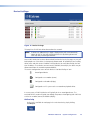
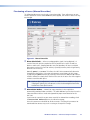
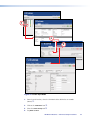
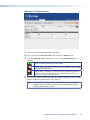
The following adjustments are classed as manual overrides. These adjustments are not
saved as part of the current source mode and, once applied, will remain in force until they
are changed.
e
b
a
d
c
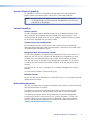
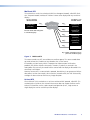
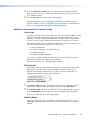
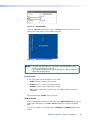
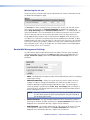
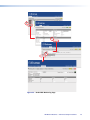
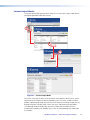
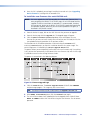
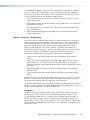
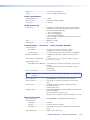
Figure 41. Manual Overrides
a Phase (Pixel Clock) — When an analog graphics signal is being digitized, it is
essential that each pixel be sampled as close as possible to its center in order to
obtain a stable value. Sampling too close to a pixel boundary will cause unreliable
data capture and result in noise or artifacts, especially between pixels of significantly
different hue or intensity.
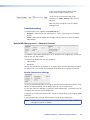
Normally phase is set to auto. This allows the VNC 200 to automatically determine
the optimum clock phase. If the auto setting proves unsatisfactory for any reason,
try adjusting the phase manually by selecting a value between +32 and -32. Positive
numbers advance the clock phase relative to the start of the active line while negative
numbers retard the clock phase.
TIP: Optimum phase adjustment is easier to establish when a suitable test pattern
is displayed. Typically, this will contain a series of alternating black and white
vertical lines at one pixel intervals.
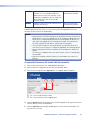
b Macrovision Defeat — Macrovision copy protection is often applied to
commercially produced videos and DVDs. This adds additional sync-level pulses to the
video waveform and these need to be ignored for proper auto-detection on the
VNC 200.
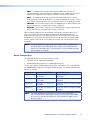
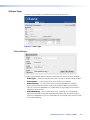
If you know (or suspect) that your source material has Macrovision encoding, check
the macrovision defeat option on the Video Setup page.
Leave this parameter unchecked for all other sources. Checking this parameter for
non-Macrovision sources may result in tearing at the top of the image.
VN-Matrix 200 Series • Advanced Setup Procedures
57