1
Red Hat Network Satellite 5.0 Reference Guide
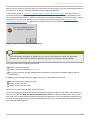
Note
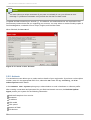
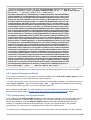
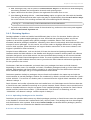
If valid entries already exist in authorized_keys, add the daemon key to the file rather
than replacing the existing key. T o do so, save the copied text to id_dsa.pub in the same
.ssh/ directory and then run the following command: cat ~/.ssh/id_dsa.pub >>
~/.ssh/authorized_keys.
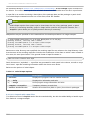
5. Finally, ensure the .ssh/ directory and authorized_keys file have the appropriate permissions
set. T his can be done as the daemon's user with the following commands:
chmod 700 ~/.ssh
chmod 600 ~/.ssh/authorized_keys
Once the key is in place and accessible, all probes that require it should allow ssh connections between
the Monitoring infrastructure and the monitored system. You may then schedule probes requiring the
monitoring daemon to run against the newly configured systems.
7.3. mysql-server package
If your RHN Satellite will serve Monitoring-entitled client systems against which you wish to run MySQL
probes, you must configure the m ysql-server package on the RHN Satellite. Refer to Appendix C,
Probes for a listing of all available probes.
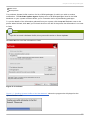
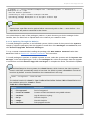
Subscribe the Satellite to the Red Hat Enterprise Linux AS Extras channel and install the m ysqlserver package either through the RHN website or via up2date.
T wo additional packages will also be downloaded in the transaction. T hese are needed for the m ysqlserver package to be installed and run successfully. Once finished, your Satellite may be used to
schedule MySQL probes.
7.4. Notifications
In addition to viewing probe status within the RHN interface, you may be notified whenever a probe
changes state. T his is especially important when monitoring mission-critical production systems. For this
reason, Red Hat recommends taking advantage of this feature.
T o enable probe notifications within RHN, you must have identified a mail exchange server and mail
domain during installation of your RHN Satellite and configured sendmail to properly handle incoming
mail. Refer to the Installation chapter of the RHN Satellite Installation Guide for details.
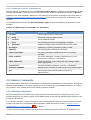
7.4.1. Creating Notification Methods
Notifications are sent via a notification method, an email or pager address associated with a specific
RHN user. Although the address is tied to a particular user account, it may serve multiple administrators
through an alias or mailing list. Each user account can contain multiple notification methods. T o create a
notification method:
1. Log into the RHN website as either an Organization Administrator or Monitoring Administrator.
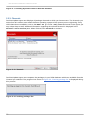
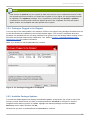
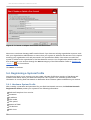
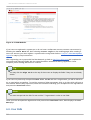
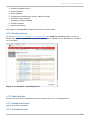
2. Navigate to the User Details ⇒ Notification Methods tab and click create new
m ethod.
14 0