1
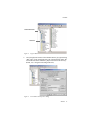
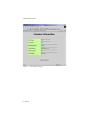
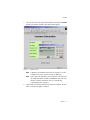
AltiWeb Directory Files <input type="hidden" name="ServerIP" value="206.111.153.203"> 2. Set DialPad visibility. By default, the code in contact.htm is set to show the Dial Pad (value = "1") and not to dial a specific number (value = ""). To hide the DialPad, change the values as shown below: Hide DialPad, Autoconnect to Extension 300 <input type="hidden" name="Extension" value="300"><input type="hidden" name="DialPad" value="0"> Show DialPad, Let Caller Dial Extension <input type="hidden" name="Extension" value=""><input type="hidden" name="DialPad" value="1"> 3. Alter the data collection fields. Shown below is the form row that collects the caller’s full name. Copy, modify, or delete variables to your company’s specifications. <tr> <td align="left" width="128" bgcolor="#CCFF99"> <b><small><font face="Verdana">Customer Name </font></ small></b></td> <td width=22 align=left></td> <td align=left width=282> <font face=Verdana> <input type="text" name="CustomerName" maxlength=40 size=20 tabindex=1> </font></td> </tr> 14 AltiWeb