1
Note 1G • Connecting the Points (continued)
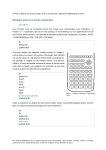
CFX-9850GB Plus
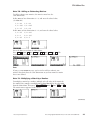
Setting the VIEW WINDOW Values
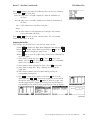
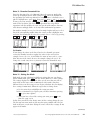
Select STAT from the Main Menu. While the data list is on display, press
SHIFT [SET UP] F2 (Man) EXIT . Press SHIFT [V-Window] and input the following
values on the View Window screen.
Xmin: 5
max: 55
scale: 5
Ymin: 5
max: 20
scale: 5
(This value is slightly less than the minimum of the
x-coordinates.)
(This value is slightly more than the maximum of the
x-coordinates.)
(This number is the distance between tick marks. You can
use 0, for no tick marks, or a value usually less than or equal
Xmax Xmin
.)
to 10
(This number is slightly less than the minimum of the
y-coordinates. In this example, 0 would work, but a negative
number allows you to see the x-axis.)
(This value is slightly more than the maximum of the
y-coordinates.)
(This number is the distance between tick marks. You can
use 0, for no tick marks, or a value usually less than or equal
Ymax Ymin
. If your scale value is too small, the y-axis will
to 10
appear too thick.)
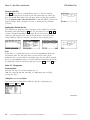
The view window shown is [5, 55, 5, 5, 20, 5].
Displaying the Connected Points
a.
b.
c.
d.
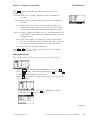
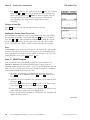
Press MENU to see the Main Menu. Highlight STAT and press EXE .
Press SHIFT [SET UP]. Arrow down to Grid and press F2 (Off). Press EXE .
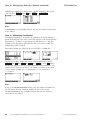
Press F1 (GRPH) to display the graph menu.
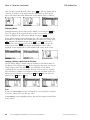
Press F6 (SET) to enter the graph settings menu. Press a function key
to select a graph.
e. Arrow down to Graph Type. Press F2 (xy) to select xyLine.
f. Arrow down to XList to display list choices. Press F1 to select List 1.
Similarly, choose List 2 for YList.
g. Arrow down to Mark Type and select a mark.
h. Arrow down to Graph Color. Press a function key to select the
graph color.
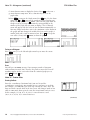
i. Press EXIT to return to the graph menu. Press F4 (SEL). Use the down
arrow and F1 or F2 to turn on the graph you selected and turn off
the other graphs. Press F6 (DRAW) to draw the graph. (You can
also graph from the Graph screen by pressing the function key
corresponding to the number of the graph that you want to display.)
(continued)
18
Discovering Algebra Calculator Notes for the Casio CFX-9850GB Plus
©2003 Key Curriculum Press