1
4. Using the Universal Print Driver
Note, however, that the queue level will always be displayed as "unknown" for third-party
devices.
The number in parentheses in the text to the right of the icon shows the number of
currently queued jobs. The status information of these devices is updated every 10
seconds.
Options
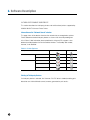
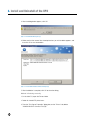
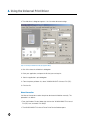
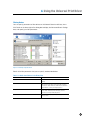
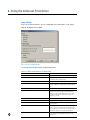
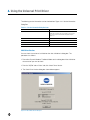
The Option dialog box below enables you to set the Device Selector options and check
the version. To display this dialog, click Details on the Device Selector dialog box to
display the expanded view (Figure 4-2-10 Sample Expanded View), and then click Option
in the lower right of that dialog box.
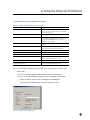
Figure 4-2-12 Option Dialog Box
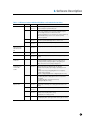
The settings available from this dialog box are described below.
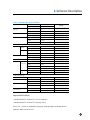
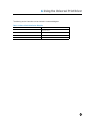
Table 4-2-6 Option Dialog Box Settings
38
Setting
Description
When selecting this Universal Printer Driver from an application,
it will be connected to the printer last used. The Device selection
dialog will not be displayed.
When KONICA MINOLTA Universal Printer Driver is started with
this checkbox is selected, the last child driver to be used will be
opened, rather than the Device Selector. However, the Device
Selector dialog box will open if a child driver has never been
used.
Port settings for Network Search
Set the port number to use for network searches. Change this
setting only when you cannot perform searches normally.
Auto Port Search
Search for the port automatically. This setting is used by
default.
Select Searching Port
Set the port number. The default is 35. 1 to 65535 can be
entered.
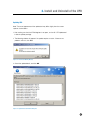
Version Information
Click Version Information to view the KONICA MINOLTA
Universal Printer Driver Version Information dialog box (Figure
4-4-1 Version Information Dialog Box).