1
Reports list all points in the given condition within the
selected area or group of points. Conditions can be alarm,
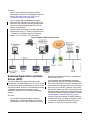
offline, disabled, or overridden. Figure 11 shows an
example of an Alarm Report. You can refresh the
completed report to find any new points since the report
was run, and you can cancel a report query at any time.
Figure 11: Alarm Report
System Security
The Metasys system offers secure user access by
authenticating the user name and password of any user
who attempts to connect to the system.
The Site Management Portal UI also supports
authentication using the Microsoft Active Directory®
directory service. Refer to the Security Administrator
System Technical Bulletin (LIT-1201528) for details.
Note: The Metasys Advanced Reporting System and
the Ready Access Portal UI do not support
synchronization with the Active Directory directory
service.
When a valid user account has been identified, the
connection is authorized and system access is granted
based on the access privileges defined by the Metasys
security administrator system for the user account.
The Scheduled Reports feature provides a reporting
service on a server that generates summary reports
based on object lists and report schedules (Figure 11).
Configuring Schedules
The Schedule feature allows you to define the days and
times for operational activities such as starting and
stopping equipment and changing setpoints. You can
schedule activities for one or more days of the week,
holidays, or particular calendar dates.
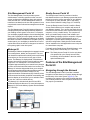
The Site Management Portal UI provides a graphic
representation of the weekly schedule and calendar for
creating and editing the schedules (Figure 12). Schedules
actually run in a network engine on the network, but you
can configure them to send commands to equipment
throughout the whole building or site.
Figure 12: Schedule User Interface
Access privileges are assigned by system categories and
action sets to individual users or to a group of users with
the same role. System categories define the type of
building equipment and points accessible when operating
the system. Action sets define the authorized operation
level. Users may be authorized to only view items or may
be allowed to also acknowledge alarms and issue
commands. At the highest level, users are authorized to
modify system configuration parameters.
The Audit Trail on the ADS/ADX records user activities
such as alarm acknowledgment, sending commands,
and point modification.
In addition to user authentication, standard IT security
technologies (including firewall programs and encoding
protocols) protect the building automation system and
network from unauthorized access.
ADX with the Metasys Advanced
Reporting System
The Metasys Advanced Reporting System provides
historical and configuration data reporting capabilities in
a UI that is separate from the Site Management Portal
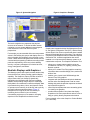
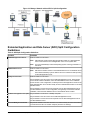
UI (Figure 13). This system allows authorized users to
run reports to review the configuration and performance
of the Metasys system.
The Metasys Advanced Reporting System UI allows you
to run reports easily and immediately view them in a web
browser (Figure 14).
Application and Data Server (ADS) and Extended Application and Data Server (ADX) Product Bulletin
9