1
Performance Verification
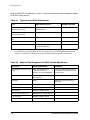
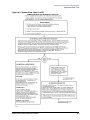
Optional Swept Frequency Accuracy Check
Optional Swept Frequency Accuracy Check
For Swept-Frequency/Ramp Mode Only
This procedure is helpful for systems that are primarily operated in ramp mode. Typically
step mode is used. If only step mode is used, you may skip this check.
This procedure is not part of Performance Verification. Performance Verification requires
step mode. This procedure is not for 8350 series sources.
Front panel emulation software (included in the 8510 operating system disk) is required to
test an 83621/31/51. The emulator kit (08510-60022) contains an analyzer keypad overlay
and instructions.
Preparation
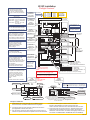
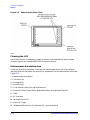
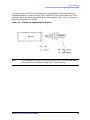
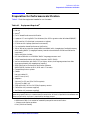
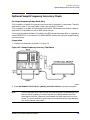
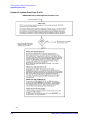
1. Connect the equipment as shown in Figure 4-2..
Figure 4-2. Swept Frequency Accuracy Test Setup
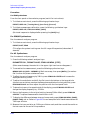
2. Press INSTRUMENT STATE RECALL, [MORE], [FACTORY PRESET] to preset the system.
NOTE
8514/15 test sets must have the test and reference ports unbalanced for this
test to function properly. Connect long test port cables between the front
panel ports and short reference lines between the back panel ports (or vice
versa). To insure unbalancing you may use one short and one long reference
link on the test set rear panel.
8510C Service Quick Reference Guide
4-9