1
Mechanical instructions
4.2.3
4.
GB 13
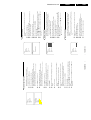
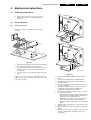
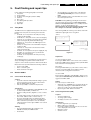
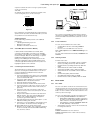
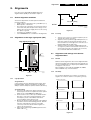
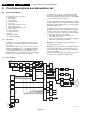
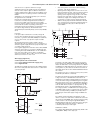
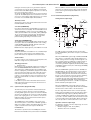
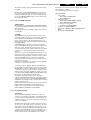
1. The complete module can be removed from the LSPbracket by pressing its fixation clamp [1] (located behind
the PWB), while sliding the module in the direction of the
CRT [2].
2. The board can easily be lifted from its bracket after
releasing the 2 fixation clamps [3].
Accessing the Double Window (DW) panel
PIP/Double Window
EM1A
1
Multi Voltage
1
4.2.6
Accessing the Mains Harmonic panel
4
2
1
3
2
3
3
3
4
CL 06532130_015.eps
031000
CL 06532130_017.eps
131000
Figure 4-6
Figure 4-8
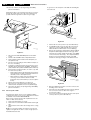
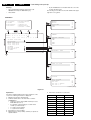
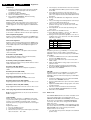
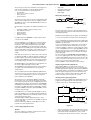
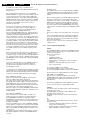
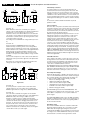
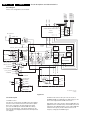
1. Remove the DW bracket from the bottom tray by pulling
it backward (after pressing the fixation clamp).
2. The board can easily be lifted out of the bracket [2] after
releasing the 2 fixation clamps [1].
4.2.4
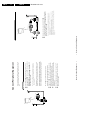
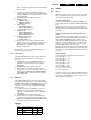
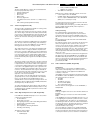
1. The complete module can be removed from the LSPbracket (after removal of the DAF-panel) by removing
screw [1] and then slide the module in the opposite
direction of the CRT [2].
2. The board can easily be lifted from its bracket after
releasing the 2 fixation clamps [3].
Accessing the Multi Voltage panel (if present)
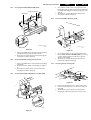
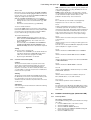
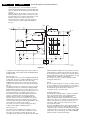
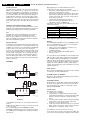
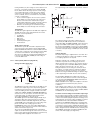
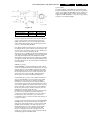
1. Remove the DW bracket from the bottom tray by pulling
it backward.
2. Press the 2 fixation clamps downward [3] (see figure 47).
3. The board can easily be lifted out of the bracket after
releasing the 2 fixation clamps [4].
4.2.7
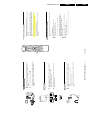
Accessing the Top Control panel
M
Top control board
4.2.5
Accessing the Double Astigmatic Focus (DAF) panel
CL 06532012_003.eps
030200
Figure 4-9
3
3
3
2
1
CL 06532130_016.eps
031000
Figure 4-7
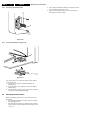
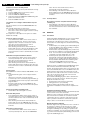
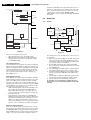
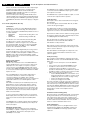
1. Remove the two fixation screws, which hold the panel.
2. Pull the board backward (w.o.w. release it from its front
hinge [M]).
3. The board can easily be lifted from its bracket after
releasing the 2 fixation clamps at the connector side.