1
Cabling Up the AirSpeed 5000 Server
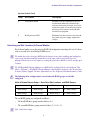
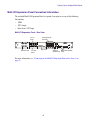
Connecting to the Multi I/O Expansion Ports on the Server
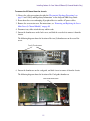
Make sure there is adequate space to run and connect the Multi I/O Expansion cables to the rear
of the unit. Since, there is no power connection on the Multi I/O Expansion Panel, simply
connect it to the AirSpeed 5000 server chassis using the two Multi I/O Expansion cables that
were supplied with your server.
Do one of the following:
t
n
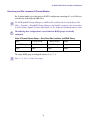
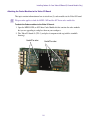
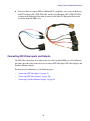
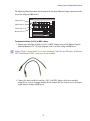
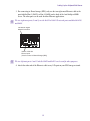
If your site requires GPIO, and/or multiple LTC INs and OUTs, use the Multi I/O Expansion
SCSI cable (7070-30405-00) and the Multi I/O Expansion DVI cable (7070-30406-00), as
shown in the following illustration to connect the Multi I/O Expansion panel to the AirSpeed
5000 server:
Once you have connected to the Multi I/O Expansion Panel, you connect your GPIO, LTC and
Serial sources directly to it.
43