Download Avid Technology AirSpeed 5000 Setup guide
Transcript
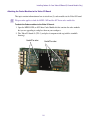
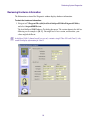
Removing the Video I/O Board (2-Channel Models) . . . . . . . . . . . . . . . . . . . . . 20 Attaching the Codec Modules to the Video I/O Board . . . . . . . . . . . . . . . . . . . . 24 Replacing the Video I/O Board into the Chassis . . . . . . . . . . . . . . . . . . . . . . . . 25 Installing Avid AirSpeed 5000 Hardware in a Rack . . . . . . . . . . . . . . . . . . . . . . . . . . . . 29 Rack-mount Requirements. . . . . . . . . . . . . . . . . . . . . . . . . . . . . . . . . . . . . . . . . . . . 29 Positioning the Avid AirSpeed 5000 Server in the Rack . . . . . . . . . . . . . . . . . . . . . 30 Separating the Slide Rails . . . . . . . . . . . . . . . . . . . . . . . . . . . . . . . . . . . . . . . . . . . . 31 Attaching Inner Slide Rails to the Avid AirSpeed 5000 . . . . . . . . . . . . . . . . . . . . . . 32 Attaching the Outer Rails to a Square-Hole Rack . . . . . . . . . . . . . . . . . . . . . . . . . . 32 Attaching the Outer Rails to a Round-Hole Rack . . . . . . . . . . . . . . . . . . . . . . . . . . . 34 Securing the Avid AirSpeed 5000 in a Rack . . . . . . . . . . . . . . . . . . . . . . . . . . . . . . 36 (Option) Installing the Multi I/O Expansion Panel in a Rack. . . . . . . . . . . . . . . . . . . 37 Installing the Avid AirSpeed 5000 Drives . . . . . . . . . . . . . . . . . . . . . . . . . . . . . . . . . . . . 38 Cabling Up the AirSpeed 5000 Server . . . . . . . . . . . . . . . . . . . . . . . . . . . . . . . . . . . . . . 40 AirSpeed 5000 Server Connection Information . . . . . . . . . . . . . . . . . . . . . . . . . . . . 41 Multi I/O Expansion Panel Connection Information . . . . . . . . . . . . . . . . . . . . . . . . . 42 Connecting to the Multi I/O Expansion Ports on the Server . . . . . . . . . . . . . . . . . . . 43 Connecting SDI Video Inputs and Outputs. . . . . . . . . . . . . . . . . . . . . . . . . . . . . . . . 44 Connecting SDI Video Inputs . . . . . . . . . . . . . . . . . . . . . . . . . . . . . . . . . . . . . . 45 Connecting SDI Video Outputs . . . . . . . . . . . . . . . . . . . . . . . . . . . . . . . . . . . . . 45 Connecting Auxiliary Monitor Outputs . . . . . . . . . . . . . . . . . . . . . . . . . . . . . . . . 46 Connecting Video Reference . . . . . . . . . . . . . . . . . . . . . . . . . . . . . . . . . . . . . . . . . . 48 Connecting LTC . . . . . . . . . . . . . . . . . . . . . . . . . . . . . . . . . . . . . . . . . . . . . . . . . . . . 49 Converting BNC Connectors to XLR . . . . . . . . . . . . . . . . . . . . . . . . . . . . . . . . . . . . 50 Connecting Ethernet. . . . . . . . . . . . . . . . . . . . . . . . . . . . . . . . . . . . . . . . . . . . . . . . . 50 Connecting Serial . . . . . . . . . . . . . . . . . . . . . . . . . . . . . . . . . . . . . . . . . . . . . . . . . . . 52 Connecting a GPIO Device . . . . . . . . . . . . . . . . . . . . . . . . . . . . . . . . . . . . . . . . . . . 53 Connecting a Keyboard, Monitor, and Mouse. . . . . . . . . . . . . . . . . . . . . . . . . . . . . . . . . 54 Connecting the Power Cords . . . . . . . . . . . . . . . . . . . . . . . . . . . . . . . . . . . . . . . . . . . . . 55 Turning On the Avid AirSpeed 5000 Server . . . . . . . . . . . . . . . . . . . . . . . . . . . . . . . . . . 56 Performing System Diagnostics . . . . . . . . . . . . . . . . . . . . . . . . . . . . . . . . . . . . . . . . . . . 57 Diagnostic Window Explained . . . . . . . . . . . . . . . . . . . . . . . . . . . . . . . . . . . . . . . . . 58 Reviewing Hardware Information . . . . . . . . . . . . . . . . . . . . . . . . . . . . . . . . . . . . . . . 59 7