1
Table of Contents
Table of Contents
Introduction ........................................................................................................1
NI-2000 Specifications .............................................................................................. 2
NI-3000 Specifications .............................................................................................. 6
NI-4000 Specifications ............................................................................................ 10
Related Documents................................................................................................. 14
Installation and Upgrading ...............................................................................15
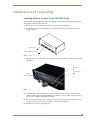
Installing NetLinx Control Cards (NI-4000 Only) ..................................................... 15
Setting the NetLinx Control Card Addresses (NI-4000 Only).................................. 16
Device:Port:System (D:P:S)............................................................................................ 16
Removing NetLinx Control Cards (NI-4000 Only) ................................................... 17
Compact Flash Upgrades ........................................................................................ 17
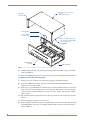
Accessing The Internal Components On An Integrated Controller ............................... 17
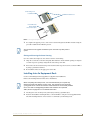
Installation of Compact Flash Upgrades........................................................................ 18
Closing and Securing the Outer Housing ...................................................................... 19
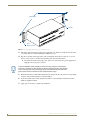
Installing Into An Equipment Rack .......................................................................... 19
Connections and Wiring ...................................................................................21
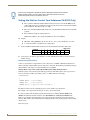
Setting the Configuration DIP Switch (for the Program Port) ................................. 21
Baud Rate Settings........................................................................................................ 21
Program Run Disable (PRD) Mode................................................................................. 21
Working With the Configuration DIP Switch ................................................................. 22
Setting the CardFrame DIP Switch (NI-4000 Only) ................................................. 22
Program Port Connections and Wiring ................................................................... 22
Modes and Front Panel LED Blink Patterns ............................................................ 23
Port Assignments and Functionality........................................................................ 23
AXlink Port and LED ............................................................................................... 24
Wiring Guidelines ................................................................................................... 24
Wiring length guidelines ............................................................................................... 24
Preparing Captive Wires ............................................................................................... 25
Wiring a Power Connection........................................................................................... 25
Using the 4-Pin Mini-Phoenix Connector For Data and Power ...................................... 25
Using the 4-pin Mini-Phoenix Connector For Data With External Power ...................... 26
DB9 Device Port: Connections and Wiring ............................................................. 26
ICSNet Port: Connections and Wiring..................................................................... 27
ICSHub OUT Port: Connections and Wiring ............................................................ 28
Relay Port: Connections and Wiring ....................................................................... 28
Relay Connections ......................................................................................................... 28
NI-2000, NI-3000, NI-4000 Hardware Reference Guide
i