1
Authorizing Plug-ins for
Pro Tools
Plug-ins are authorized using the iLok USB
Smart Key (iLok), manufactured by PACE AntiPiracy, Inc.
Authorizing Boxed Versions of
Plug-ins for Pro Tools
If you purchased a boxed version of a plug-in, it
comes with an Activation Code (on the included
Activation Card).
To authorize a TDM plug-in using an Activation
Code:
1 Visit www.iLok.com and sign up for an
iLok.com account if you do not have an existing
iLok.com account.
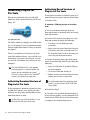
iLok USB Smart Key
The iLok is similar to a dongle, but unlike a dongle, it is designed to securely authorize multiple
software applications from a variety of software
developers.
This key can hold over 100 licenses for all of
your iLok-enabled software. Once an iLok is authorized for a given piece of software, you can
use the iLok to authorize that software on any
computer.
The iLok USB Smart Key is not supplied
with your plug-in or software option. You
can use the one included with certain
Pro Tools systems (such as Pro Tools|HD®
systems), or purchase one separately.
Authorizing Download Versions of
Plug-ins for Pro Tools
If you purchased a download version of a plugin from the DigiStore (www.digidesign.com),
authorize the plug-in by downloading licenses
from iLok.com to an iLok.
See the iLok Usage Guide for details, or visit
the iLok Web site (www.iLok.com).
2
Focusrite D2 and D3 Plug-ins Guide
2 Transfer the license for your plug-in to your
iLok.com account by doing the following:
• Visit http://secure.digidesign.com/
activation.
• Input your Activation Code (listed on your
Activation Card) and your iLok.com User
ID. Your iLok.com User ID is the name you
create for your iLok.com account.
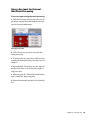
3 Transfer the licenses from your iLok.com ac-
count to your iLok USB Smart Key by doing the
following:
• Insert the iLok into an available USB port
on your computer.
• Go to www.iLok.com and log in.
• Follow the on-screen instructions for transferring your licences to your iLok.
For information about iLok technology and
licenses, see the electronic PDF of the iLok
Usage Guide.
4 Launch Pro Tools.
5 If you have any installed unauthorized plugins or software options, you are prompted to authorize them. Follow the on-screen instructions
to complete the authorization process.