1
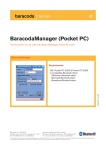
BaracodaManager v3.20 User guide
June 2005
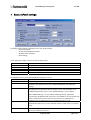
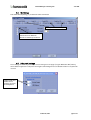
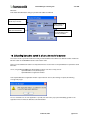
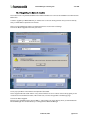
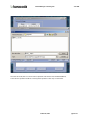
The “My Paired Devices” section of the window shows the configured barcode reader(s) and their connection status
(Connected/Disconnected/Connecting).
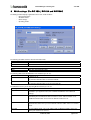
>>The table below shows the main functions available in the Baracoda Manager main window (for details, see
FUNCTIONS section):
Clicking on the button …
Search
Add Selected
Settings
>>Disconnect/Connect
Upload
Hide
Exit
Check box, left of the barcode
reader's ID
allows you to…
Find all discoverable barcode readers (which are within the Bluetooth radio signal
range).
Add or remove the selected barcode reader to the list of configured (paired)
barcode readers (in the “My Paired Devices” list).
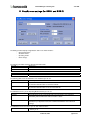
Set the parameters of the selected barcode reader.
Disconnect the selected barcode reader or
reconnect a disconnected barcode reader
Upload barcodes previously stored in the selected barcode reader’s non-volatile
memory.
Minimize the Baracoda Manager window.
Quit the Baracoda Manager and save information on the configured barcode
reader(s). The Bluetooth radio connection is closed. The barcode reader(s)
switches to stand-by mode.
Set the Auto Connect mode for the barcode reader: the Baracoda Manager
automatically tries to connect to the barcode reader, at the beginning of the next
session.
© Baracoda, 2005
page 4 /33