1
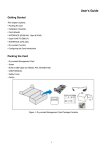
1. BEFORE STARTING The power input is on the left side of the terminal (Figure 1). Connect the plug from the power adapter into the power input (Figure 2). Plug the power adapter into a 120-‐volt electrical outlet or into a surge suppressor (recommended) after the power cord is connected to the power adapter. The rechargeable battery is installed at the back of the device (Figure 3). Figure 1 Figure 2 Figure 3 § § § Adapter spec: § DELTA_ADP-‐36JH B § Input: 100-‐240Vac, 50/60Hz 1A Output: 12Vdc, 3A RTC battery spec.: 3V, CR2032 Operating Temperature: 0 °C to 40 °C Caution: The cover (Figure 6) shall be provided with a means to keep it closed during normal operation. Caution: Risk of explosion if the battery is replaced by an incorrect type. Please dispose of used battery according to the instructions. Warning: A shielded-‐type power cord is required in order to meet FCC emission limits and also to prevent interference to the nearby radio and television reception. It is essential that only the supplied power cord be used. This terminal supports one USB port. The USB host port locates on the left side of the terminal with a protected cover (Figure 4). If the terminal uses a peripheral device with USB connector, plug it into the USB host port (Figure 5). Figure 4 Figure 5 (Optional) The terminal supports for a variety of wireless communications to host machine (M2M) including GSM 3G technology, Wi-‐Fi, and 3G+Wi-‐Fi combo solution. Open the battery compartment cover behind the device (Figure 6), and find the SIM card slot on the right side of the terminal (Figure 7). Insert the SIM card into the SIM card slot to communicate with GSM/3G (Figure 8). Make sure SIM card is inserted in the right direction. Figure 6 Figure 7 Figure 8