1
Chapter 6. Red Hat Network Website
127
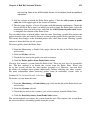
To clone an existing channel, click the clone channels link in the upper right of the screen,
select the channel to be cloned from the dropdown menu, and click the Create Channel
button. The next screen presents various options for the new channel, including base architecture and GPG options. Make your selections and click the Create Channel button to
complete the process.
To create a new channel, click the create new channel link in the upper right of the screen.
Select the various options for the new channel, including base architecture and GPG options. Make your selections and click the Create Channel button. Note that a channel
created in this manner is blank, containing no packages. You must either upload software
packages or add packages from other channels. You may also choose to include Errata
Updates in your custom channel.
6.6.5.1.1. Manage Software Channels ⇒ Channel Details ⇒ Channel Details
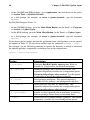
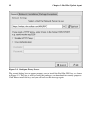
This screen lists the selections you made during the channel creation process. This page
includes the Globally Subscribable checkbox that permits all users to subscribe to the
channel.
6.6.5.1.2. Manage Software Channels ⇒ Channel Details ⇒ Managers
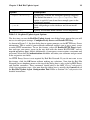
This subtab allows you to select which users may alter or delete this channel. Organization
Administrators and Channel Administrators may alter or delete any channel.
To allow a user to alter the channel, select the checkbox next to the user’s name and click
the Update button. To allow all users to manage the channel, click the Select All button at
the bottom of the list followed by the Update button. To remove a user’s ability to manage
the channel, uncheck the box next to their name and click the Update button.
6.6.5.1.3. Manage Software Channels ⇒ Channel Details ⇒ Errata
This subtab allows channel managers to list, remove, clone, and add Errata to their custom
channel. Custom channels not cloned from a distribution may not add Errata until there
are packages in the channel. Only Errata that match the base architecture of the channel
and apply to a package in that channel may be added to the channel. Finally, only cloned
or custom Errata may be added to custom channels. Errata may be included in a cloned
channel if they are selected during channel creation.
6.6.5.1.4. Manage Software Channels ⇒ Channel Details ⇒ Packages
This subtab is similar to the Errata subtab. It allows Channel and Organization Administrators to list, remove, compare, and add packages to the custom channel.