1
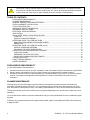
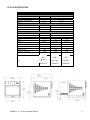
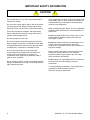
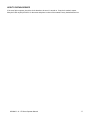
QUICK START GUIDE: QUICK SERVICE OVEN
Note: The easyToUCH screen display, layout and icons shown herein, are for guidance purposes only and are not intended to be an exact
representation of those supplied with the oven.
1
2
START UP
1. Switch the oven on;
Make all the relevant safety checks and
ensure the oven is clean and empty
before pressing the oven switch down to
activate the oven.
2. The easyToUCH screen illuminates with
the display briefly showing the serial
number and oven data. Lightly tap the
screen once to freeze the display, tap
again to continue.
3. When the oven is setup with two or more
preheating temperatures a choice is
displayed.
Scroll arrows at the bottom of the screen
indicates there are more temperature
choices not shown on screen, if
necessary, use the scroll arrows, then
select the temperature required to start
preheating the oven.
4. During preheating the display shows the
progress as the oven heats up to the set
temperature. (To stop the oven heating,
touch the red ‘X’ symbol.)
5. The oven is ready to use when the
‘COOKBOOK’ is displayed.
3
4
STOP/CANCEL
5
COOKBOOK DISPLAY
DISPLAYS ALL COOKING PROGRAMS (Optional)
SHOWS PROGRAM GROUPS
FAVORITES (Optional)
PROGRAM GROUP
Each group contains a collection of cooking
programs.
CHANGE OVEN TEMPERATURE (Optional)
USING A COOKING PROGRAM
WARNING:Taking all the necessary precautions to ensure you do not burn yourself, open the oven
door to place the food into the hot oven and close the door.
1. Select a program group, for example,
‘BURGERS’ to display the individual looking
programs.
2. Select a cook program to start, for example,
2 BURGERS.
3. Follow instructions if displayed on the screen
and touch the green ‘check mark’ to cook.
4. The cooking time counts down for each
program stage.
5. When the program ends a red bar is
displayed usually with an audible sound open the door or touch the red ‘X’ to return to
the cook program.
Note: Opening the oven door during cooking stops
the cooking program and displays a warning.
Closing the door allows the user to continue or
cancel the cooking program.
20000403 – A – E6 Oven Operator Manual
1
4
2
3
5
PROGRAM STAGE
11