1
Configuring PPP over ATM with NAT
Overview
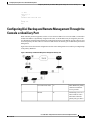
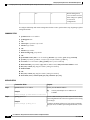
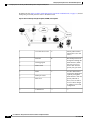
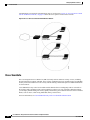
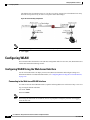
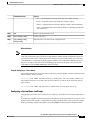
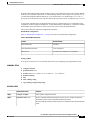
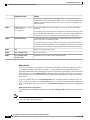
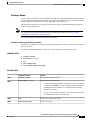
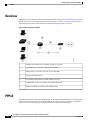
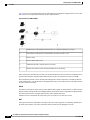
page 312 shows a typical deployment scenario with a PPPoA client and NAT configured on the Cisco router.
This scenario uses a single static IP address for the ATM connection.
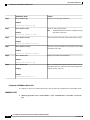
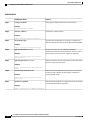
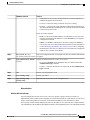
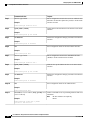
Figure 16: PPP over ATM with NAT
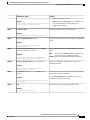
1
Small business with multiple networked devices—desktops, laptop PCs, switches
2
Fast Ethernet LAN interface (inside interface for NAT, 192.168.1.1/24)
3
PPPoA Client
4
Point at which NAT occurs
5
ATM WAN interface (outside interface for NAT)
6
PPPoA session between the client and a PPPoA server at the ISP
In this scenario, the small business or remote user on the Fast Ethernet LAN can connect to an Internet service
provider (ISP) using the integrated xDSL WAN interface on the Cisco 860 and Cisco 880 series ISRs.
The Fast Ethernet interface carries the data packet through the LAN and off-loads it to the PPP connection
on the ATM interface. The ATM traffic is encapsulated and sent over the xDSL interface. The dialer interface
is used to connect to the ISP.
PPPoA
The PPPoA Client feature on the router provides PPPoA client support on ATM interfaces. A dialer interface
must be used for cloning virtual access. Multiple PPPoA client sessions can be configured on an ATM interface,
but each session must use a separate dialer interface and a separate dialer pool.
A PPPoA session is initiated on the client side by the Cisco 860 or Cisco 880 series router.
NAT
NAT (represented as the dashed line at the edge of the Cisco router) signifies two addressing domains and
the inside source address. The source list defines how the packet travels through the network.
Cisco 800 Series Integrated Services Routers Software Configuration Guide
312
OL-31704-02