1
Main
code
53
Sub
code
08
Contents
Details of function/operation
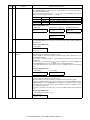
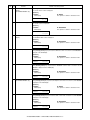
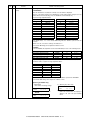
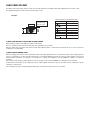
SPF/RSPF scan position
automatic adjustment
[Function]
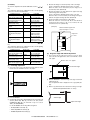
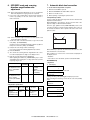
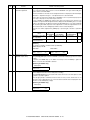
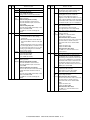
Place a A4 paper (white chart) so that it covers the SPF/RSPF scan glass and the OC glass
together, and close the SPF/RSPF.
When this simulation is executed, the current adjustment value is displayed as the initial display.
* Default is 1. Adjustment range is 1 – 99. Adjustment unit 1 = about 0.127mm
* If the values are kept as the default values, SPF/RSPF scan is not performed properly. The
front area of the proper scan position may be scanned.
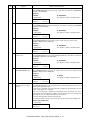
In case of AUTO, press [START] key, and the mirror unit scans from the home position to the
SPF/RSPF scan position with the adjustment value displayed. The SPF/RSPF glass cover edge
position is calculated from the difference between the SPF/RSPF glass cover edge and the OC
side document glass CCD output level. If the adjustment is normal, the adjusted value is displayed. If abnormal, the error LED lights up with the current set value displayed.
During the error LED is lighted, when [START] key is pressed again, execution is performed
again.
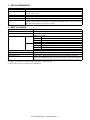
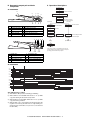
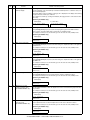
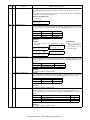
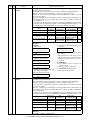
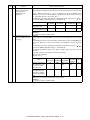
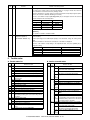
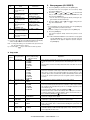
Display item
(AL-2050CS)
Mode
SPF/RSPF scan position
auto adjustment
SPF/RSPF scan position
manual adjustment
LED
(AL-2050CS)
Display lamp
AUTO
COPY mode lamp
(AL-2030/2040CS)
AE mode lamp
MANU
PRINT mode lamp
TEXT mode lamp
Default
1
1
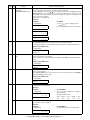
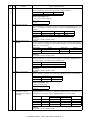
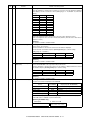
[Operation]
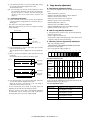
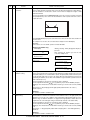
The operation is similar to simulation 46-01. (In MANUAL)
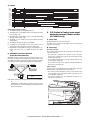
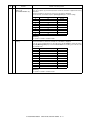
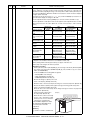
OK/ERR display in AUTO
<When OK>
<When ERR>
53-08 SPF AUTO
AUTO 100% **
61
03
Polygon motor check
(HSYNC output check)
OK
53-08 SPF AUTO
AUTO 100% **
ERR
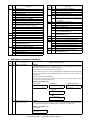
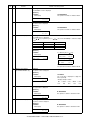
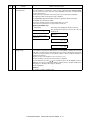
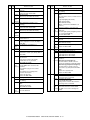
[Function]
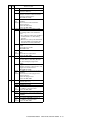
When [ENTER]/[START] key is pressed, HSYNC is performed and the polygon motor is rotated
for 30sec.
At that time, the ZOOM lamp (or the COPY mode lamp for the AL-2050CS) is lighted for
100msec every time when HSYNC is detected.
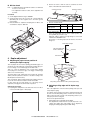
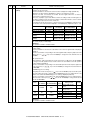
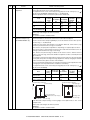
[Operation] (AL-2050CS only)
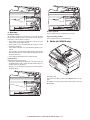
1) Initial display
61-03 LSU CHK
EXECUTING...
63
01
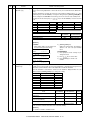
Shading check
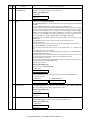
[Function]
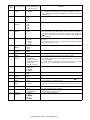
Used to display the detection level of white plate for shading.
When [ENTER]/[START] key is pressed, the mirror base unit moves to the white plate for shading and the copy lamp is lighted.
When the light quantity is stabilized, revision is made for every second, and the level of one
pixel at the center of CCD which is not corrected is detected and the value is displayed in decimal values on the LCD/display. (3 digits)
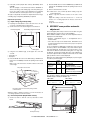
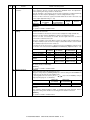
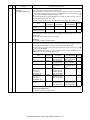
[Operation] (AL-2050CS only)
1) Initial display
63-01 SHADING CHK
EXECUTING...
000
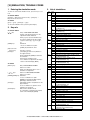
AL-2030/2040CS/2050CS
SIMULATION, TROUBLE CODES 10 - 28