1
all-FO4700.book
Page 162 Tuesday, November 28, 2000
2:07 PM
8. Maintenance
Cleaning the Scanning Glass and Rollers
Clean the reading glass and rollers frequently to ensure the quality of
your transmitted images and copies.
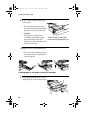
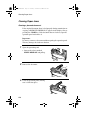
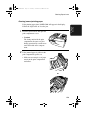
1
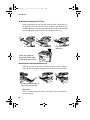
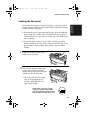
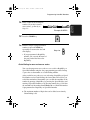
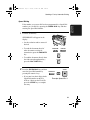
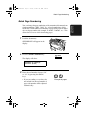
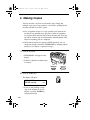
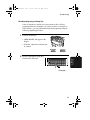
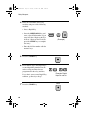
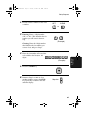
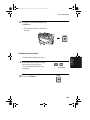
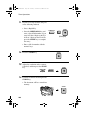
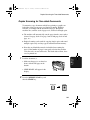
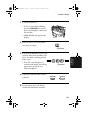
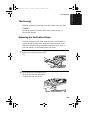
Open the operation panel.
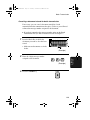
• Squeeze the release marked
PANEL RELEASE and pull up.
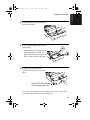
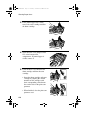
2
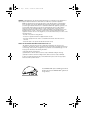
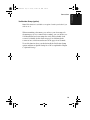
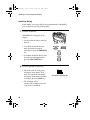
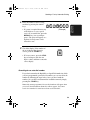
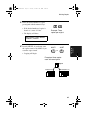
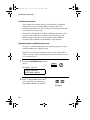
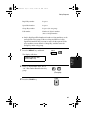
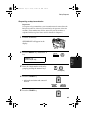
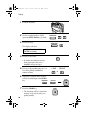
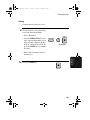
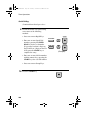
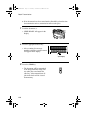
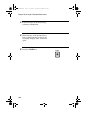
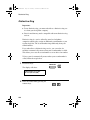
Wipe the scanning glass, white
backplate, and rollers with a soft
cloth.
• Make sure that all dirt and stains
(such as correcting fluid) are
removed, as dirt will cause vertical
lines on transmitted images and
copies. (If necessary, wipe with
denatured alcohol.)
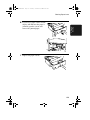
White
backplate
Scanning
glass
162