1
4. Installing D irectory Server 8.2
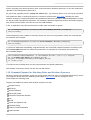
Red Hat Enterprise Linux 4 x86_64 (64-bit)
Red Hat Enterprise Linux 5 i386 (32-bit)
Red Hat Enterprise Linux 5 x86_64 (64-bit)
Solaris 9 SPARC (64-bit)
Windows XP Professional
Windows Server 2003
Windows Server 2008 (32-bit)
Windows Server 2008 (64-bit)
3.4. Password Sync Service Platforms
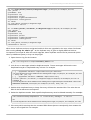
T he Password Sync Service runs on these Windows platforms:
Windows Server 2003
Windows Server 2008 (32-bit)
Windows Server 2008 (64-bit)
3.5. Web Application Browser Support
Directory Server 8.2 supports the following browsers to access web-based interfaces, such as Admin
Express and online help tools:
Firefox 3.x
Microsoft Internet Explorer 6.0 and higher
4. Installing Directory Server 8.2
For more detailed instructions on installing Directory Server 8.2, see the Directory Server Installation
Guide.
4.1. Installing the JDK
Directory Server 8.2 requires either Sun JRE 1.6.0 or OpenJDK 1.6.0.
For example, to install OpenJDK on Red Hat Enterprise Linux 5:
yum install java-1.6.0-openjdk
OpenJDK is also available for download from http://openjdk.java.net/install/.
IMPORTANT
It is not possible to manage instances of Directory Server older than 8.1 (which used JDK 1.5)
with the 8.2 Directory Server Console because they are using different JDK versions.
4.2. Installing Packages
T here are two ways to install Red Hat Directory Server packages:
Downloading RPMs or ISOs from Red Hat Network
9