1
Favorites Lists
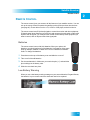
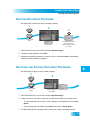
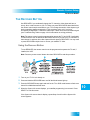
Naming Favorites Lists
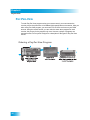
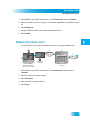
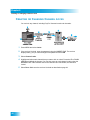
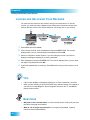
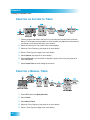
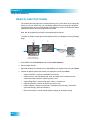
1 Press MENU on your DISH remote control. Select Preferences, and then Favorites.
2 Select the list that you want to change, or select List 1, List 2, List 3, or List 4 to create a
list.
3 Select Modify List.
4 Using the SELECT button, add or delete channels from the list.
5 Select DONE.
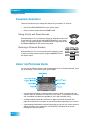
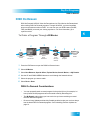
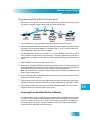
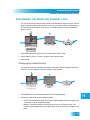
NAMING FAVORITES LISTS
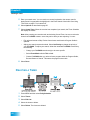
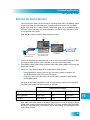
You can name your Favorites Lists whatever you want, up to eight characters long.
2
1
MENU
3
Edit Name
Select Edit
Name
4
Use the Alpha-Numeric Pad on the
remote or the On Screen Keyboard
to edit Favorite List Name
Enter List Name:
Family_
A B C D E F G H
I
J
K L M N O P Q R S T
Preferences
8
Favorites
2
Press MENU,
select Preferences,
then select Favorites
Select list
to change
U V W X Y Z
'
-
.
&
1
7
8
9
0
2
Back
3
5
Done
4
5
6
Select Done
Space
Enter the name
for the list
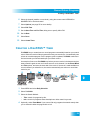
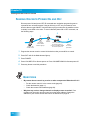
1 Press MENU on your DISH remote control. Select Preferences, and then select
Favorites.
2 Select the list that you want to rename.
3 Select Edit Name.
4 Enter the name you want for the list.
5 Select Done.
33